6 Best Chrome Extensions to Boost Productivity for YouTube Creators in 2025
Streamline your YouTube workflow by downloading a Chrome extension. Learn how to scale your creation process while growing your audience.
 November 27, 2024
 9 minute reading
Not only is YouTube one of the most popular social media platforms, it’s also the second largest search engine. Creators with a presence on this platform have the unique opportunity to create videos tailored to search and to establish an online personality.
Sounds like a lot of work, though, doesn’t it?
While it’s no easy task, you can grow your YouTube channel while simultaneously boosting your productivity by leveraging popular YouTube Chrome extensions.
Why should YouTube creators use Chrome extensions?
YouTube content creators competing on the second largest social networking platform are under constant pressure to produce videos that stand out from their sea of competitors. Time is already spread thin between planning social media marketing for the year, organizing a YouTube social media calendar, and editing and recording videos. One way to make these daunting tasks more manageable is to use Chrome add-ons and plugins.
Chrome extensions are known for:
- Boosting productivity
- Enriching the user experience
- Keeping everything organized
- making project management easier
- Personalizing Google Chrome experience
YouTube Chrome extensions feature some of the perfect content marketing tools to speed up your workflow. Never run out of social media content ideas with AI-powered extensions, monitor your social media analytics, and get help developing a social media marketing strategy.
We recommend only downloading extensions from the Chrome Webstore. These extensions are more likely to be trustworthy and feature open-source code. Take a look at the required and optional permissions before adding any extensions to your web browser.
With the following six browser extensions, YouTube creators can streamline their workflow and get more done in less time.
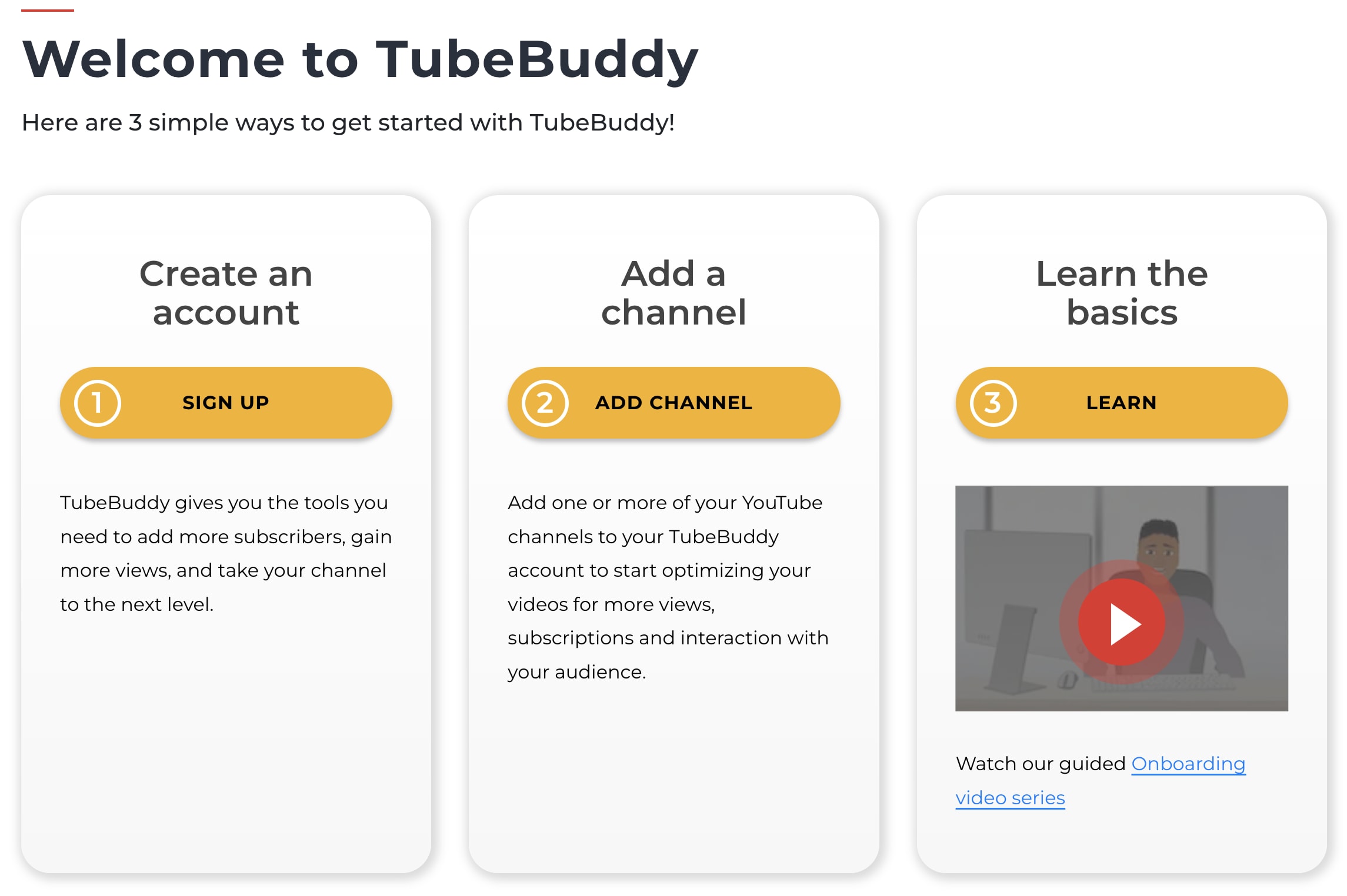
1. TubeBuddy
Key features
- Keyword explorer. Understand what viewers are looking for and master search intent with this tool (for all plans).
- SEO studio. The ultimate SEO assistant, this tool optimizes everything from your title to descriptions to thumbnails (for Pro plan and higher).
- A/B testing.Test out two different options for thumbnails, tags, descriptions, etc., and this tool tells you which will rank better (for Legend and higher).
Pricing model
- Pro. $3.99/mo for access to SEO tools, video engagement tools, and helpful guides.
- Legend. $25.50/mo for all the features included in Pro as well as A/B testing, predictive analytics, and unlimited access to AI features.
- Enterprise. Talk to the sales team to uncover the price for your bundled Enterprise plan.This plan includes unlimited Tubebuddy tools and quarterly strategy sessions with YouTube pros.
Are you a YouTube influencer?
2. vidIQ Vision
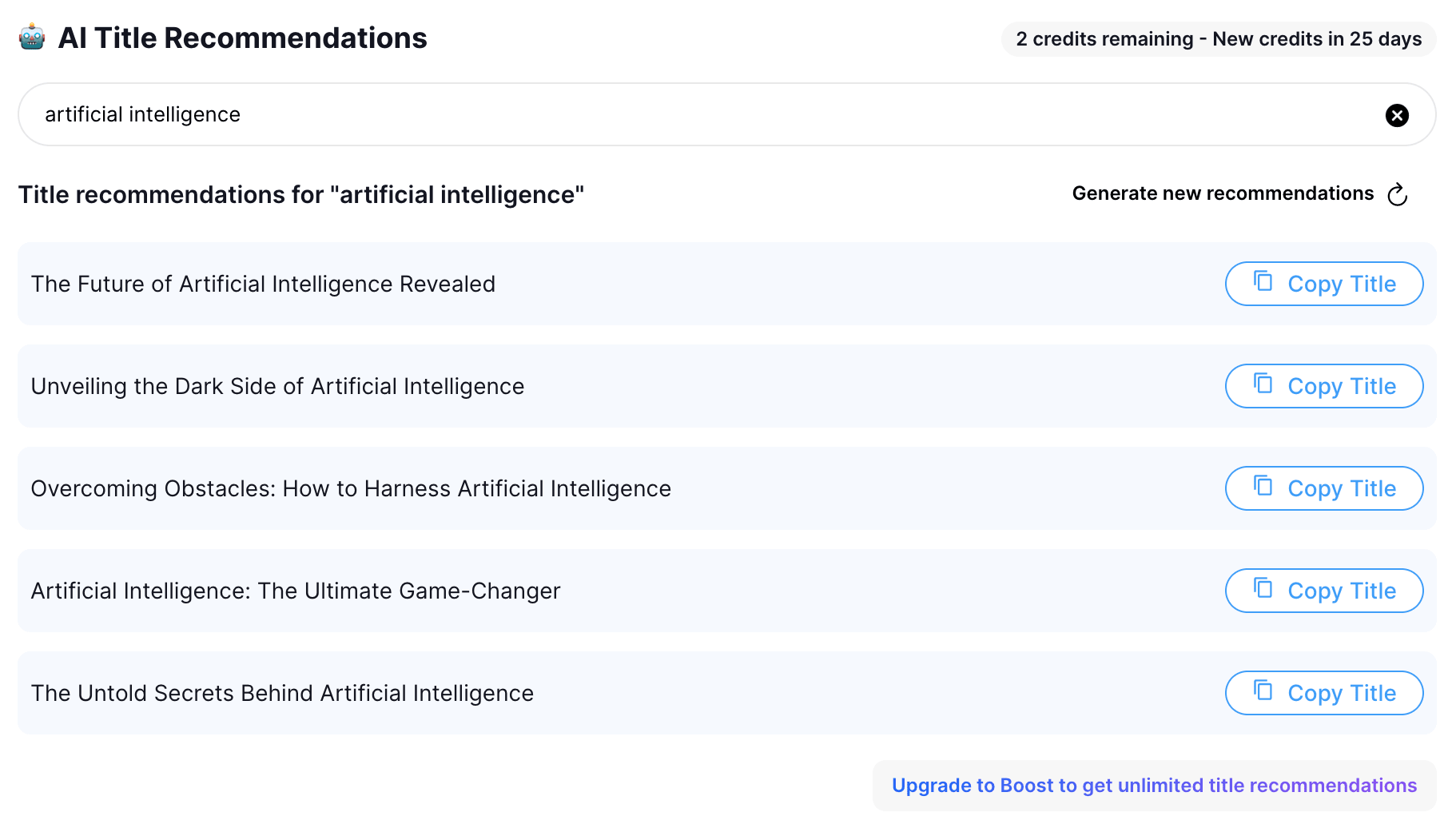
Key features
- vidIQ Score. Every YouTube video is ranked according to an algorithm and given an optimization score.
- Channel Audit. Available 24/7, this video marketing tool tells you what’s working with your content, what’s not, and what issues need addressing with just a single click.
- Video Velocity. See what videos on YouTube are trending in real-time by accessing how fast the views are accelerating.
Pricing model
- Basic. The basic plan is free, provides access to basic video analytics, allows you to compare views, and gives you three AI-powered video ideas daily.
- Pro. $7.50/mo for more analytics, research keywords, and AI-powered tools.
- Boost. $39/mo for all the features included in Pro and increased views on new videos and entire web suite of tools.
- Max. $79/mo for all the features included in Boost and group coaching.
3. Keywords Everywhere
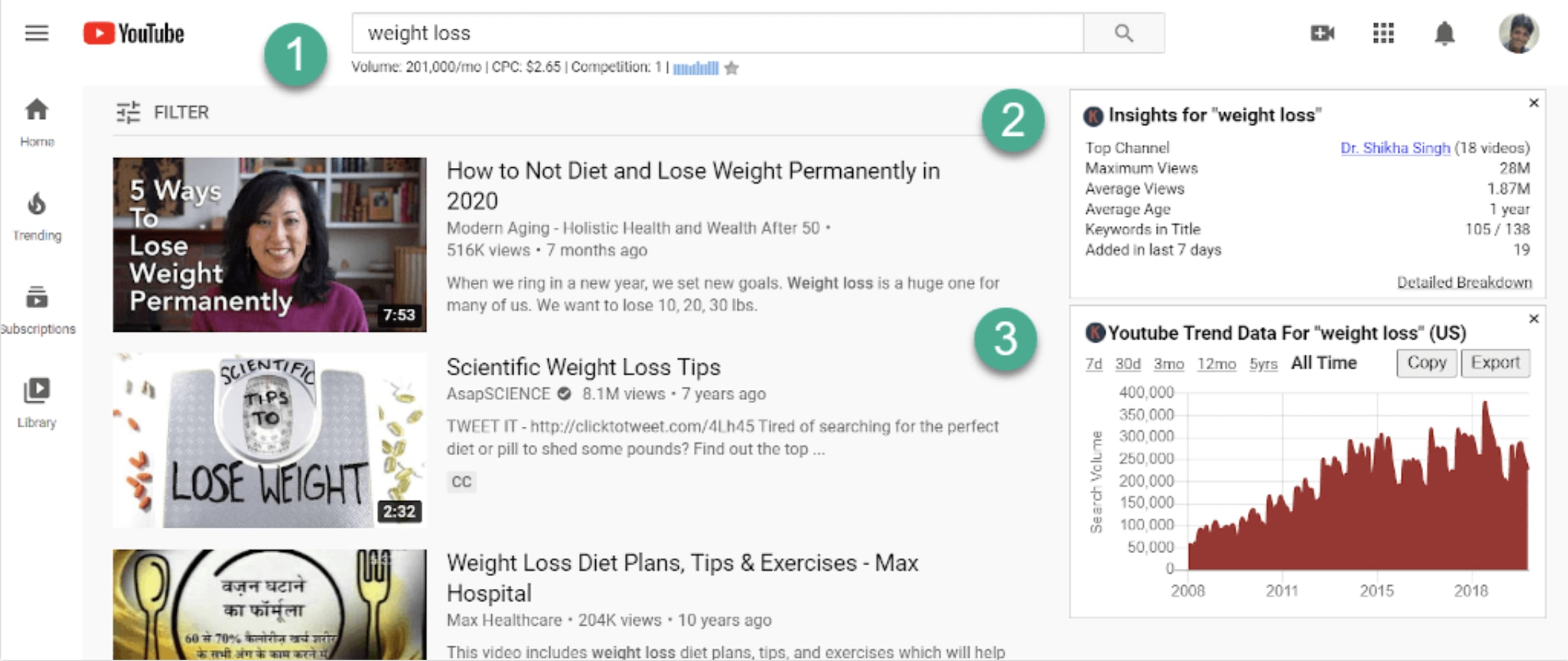
Key features
- Search Volume. Displays the monthly search volume for the term as well as the CPC, competition, and 12-month trend.
- Search Insights Widget. Compiles relevant data related to the search term, including average views, average age, and keywords in title.
- Trend Chart. This feature illustrates how the trend for that search has changed since 2008.
Pricing model
- Free. The basic plan is free and provides access to basic video analytics, allows you to compare views, and gives you three AI-powered video ideas each day.
- Bronze. $1/mo for 100,000 credits per year.
- Silver. $4/mo for 400,000 credits per year and access to SEO Minion.
- Gold. $20/mo for 2 million credits per year and access to SEO Minion and certain courses.
- Platinum. $80/mo for 8 million credits per year and access to SEO Minion, certain courses, and priority email support.
Find YouTube video promotion services on Fiverr
















I will review your youtube channel and create a personalized action plan for you
Offers video consultations












I will do youtube video promotion to real audience for organic channel growth
Offers video consultations


I will create and fully set up a professional youtube channel that grows
Offers video consultations


I will be your skilled youtube consultant live via video call
Offers video consultations

I will be your youtube automation or faceless channel expert
Offers video consultations









I will audit your youtube channel as a consultant and fix SEO and retention for growth
Offers video consultations



I will setup a youtube video ad campaign in your google ads
Offers video consultations
















I will do best youtube video SEO expert optimization and channel growth manager
Offers video consultations










I will do organic youtube video promotion for channel monetization
Offers video consultations
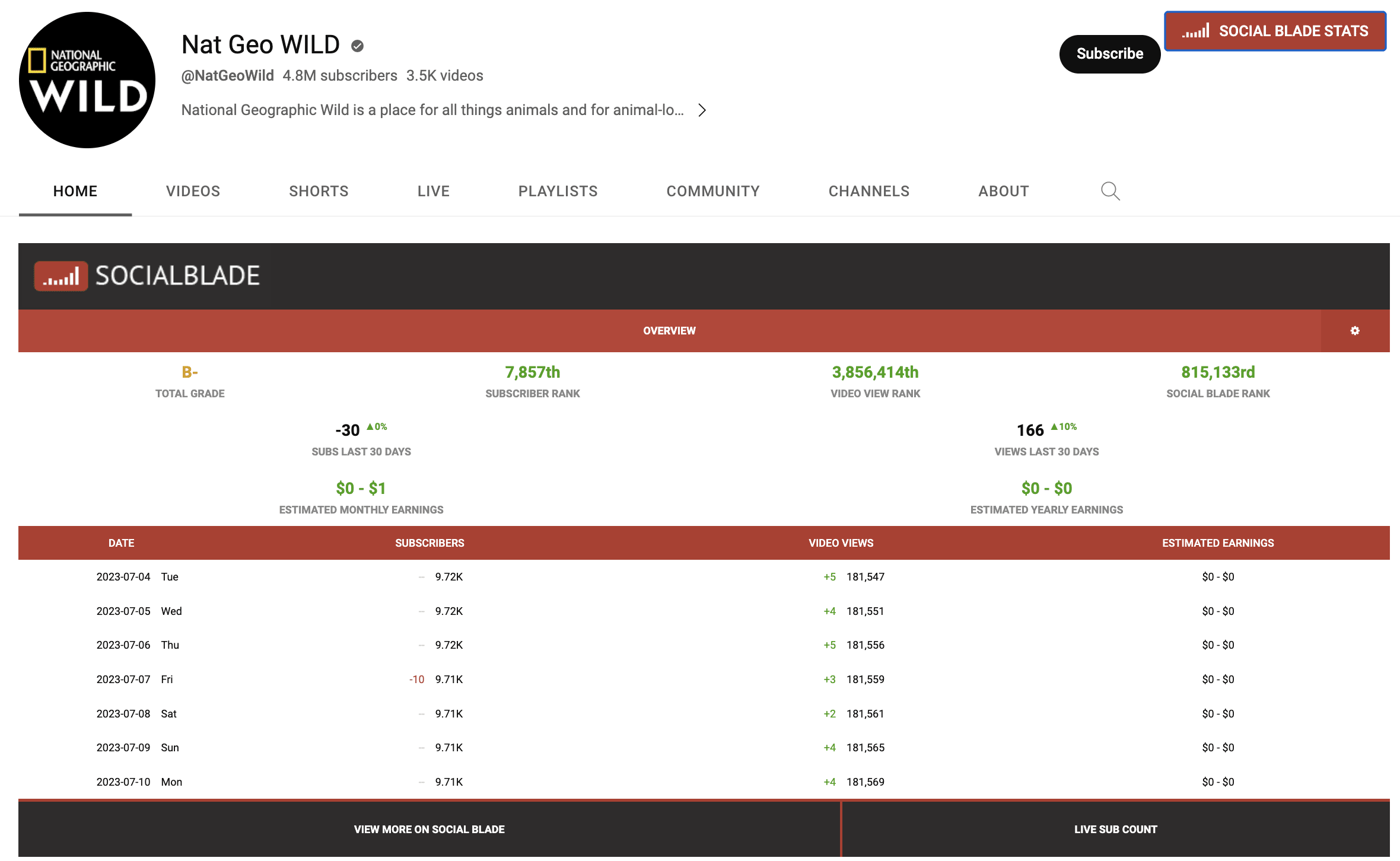
4. Social Blade
Key features
- Top Lists. Offers insights into the top-ranking profiles in any selected category.
- Report Cards. Assigns your channel a grade based on KPIs like view count, engagement, and growth.
- Custom Reports. Create a filter and access a list of users matching your criteria—especially helpful for businesses looking to work with creators in a specific space.
Pricing model
- Free. You can compare YouTube channels, estimated earnings, and access live subscriber counts for free.
- Bronze. $3.99/mo for top 250 lists, 15 favorite slots per platform, and one YT Report Card per month.
- Silver. $9.99/mo for access to premium data charts, discount on custom reports, 60 days of table info, Business API Credits, etc.
- Gold. $39.99/mo for access to premium data charts, 50 YT Report Cards per month, 120 days of table info, tags, etc.
- Platinum. $99.99/mo for access to premium data charts, 100 YT Report Cards per month, 365 days of table info, tags, etc.
5. Enhancer for YouTube
Key features
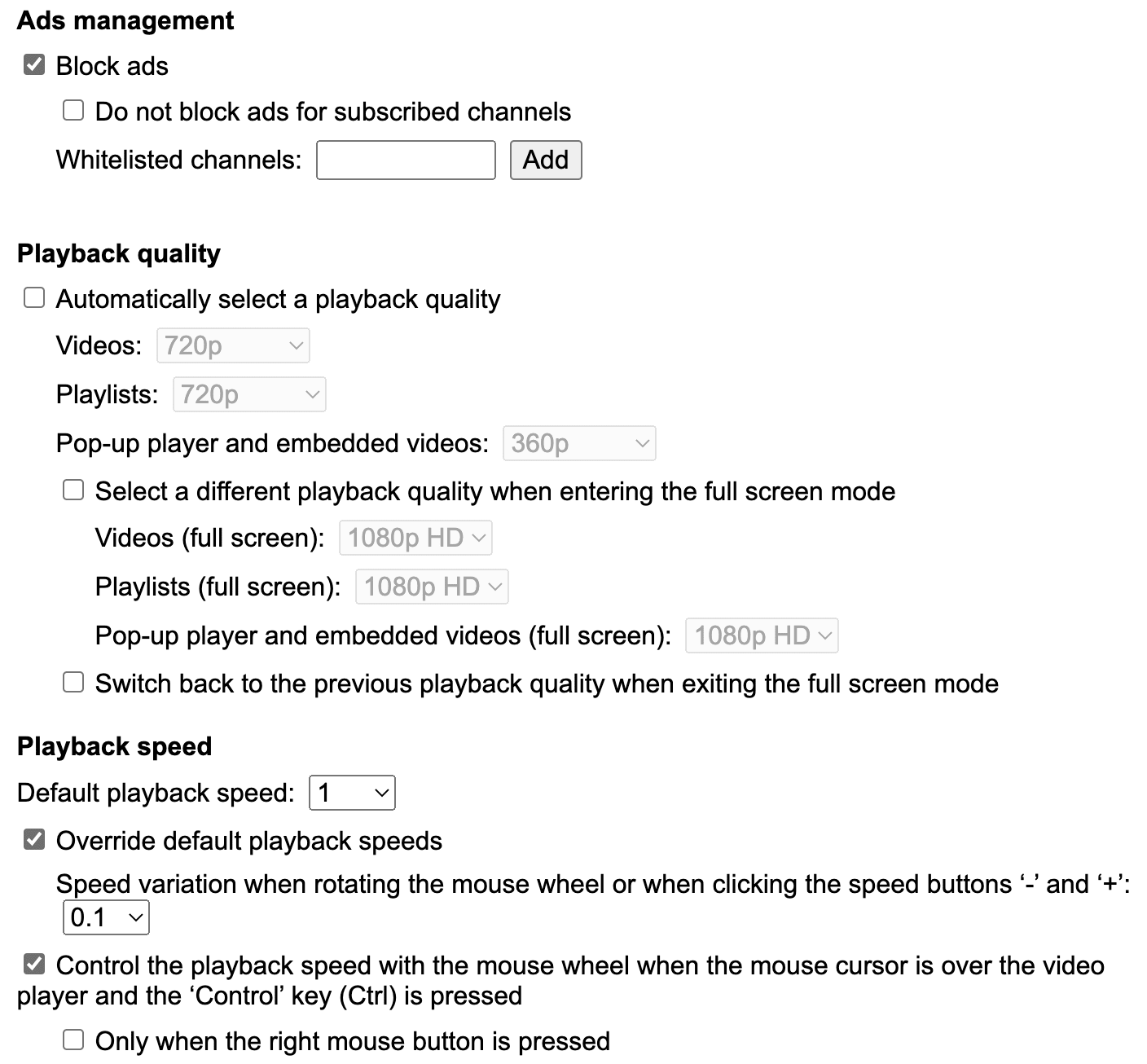
- Ads Management. Like an ad blocker tool, this feature allows you to block or skip non-skippable—though you can whitelist certain channels to support your favorite creators.
- Autoplay. Ensures that videos in background tabs don’t automatically play or save bandwidth by stopping videos.
- Video Speed Controller. Overrides YouTube’s default playback speeds for more precise control.
Pricing model
6. Turn Off the Lights
Key features
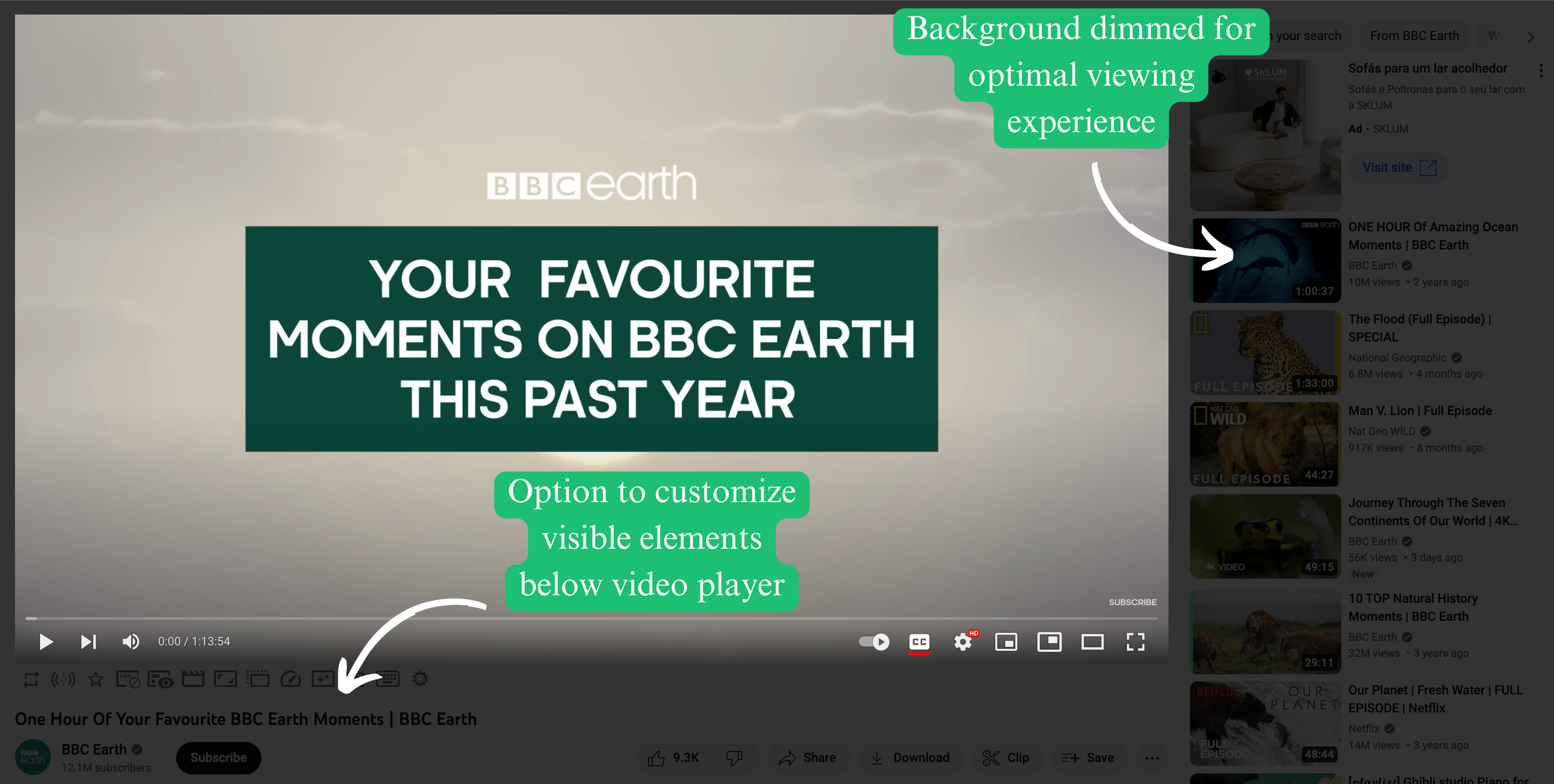
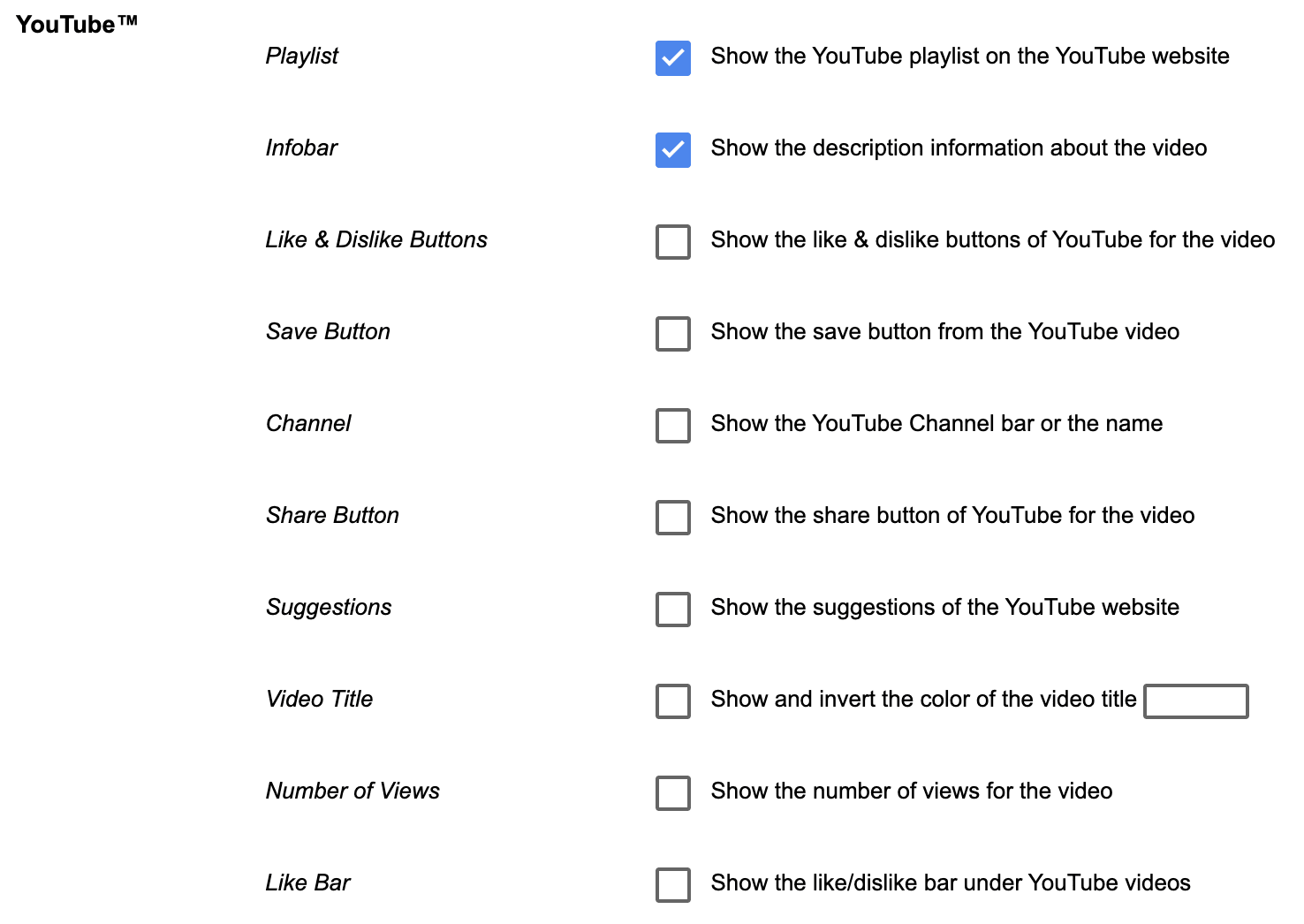
- Video Optimization. Tweak elements like video brightness, contrast, saturation, zoom in and out, and rotate.
- Screenshots Capture. Take screenshots and share them easily while watching videos.
- Night Mode. Reduce eye strain by turning on night mode and converting the white background into black.
Pricing model
Find YouTube video promotion services on Fiverr
I will review your youtube channel and create a personalized action plan for you
Offers video consultations
I will do youtube video promotion to real audience for organic channel growth
Offers video consultations
I will create and fully set up a professional youtube channel that grows
Offers video consultations
I will be your skilled youtube consultant live via video call
Offers video consultations
I will be your youtube automation or faceless channel expert
Offers video consultations
I will audit your youtube channel as a consultant and fix SEO and retention for growth
Offers video consultations
I will setup a youtube video ad campaign in your google ads
Offers video consultations
I will do best youtube video SEO expert optimization and channel growth manager
Offers video consultations
I will do organic youtube video promotion for channel monetization
Offers video consultations
Other ways to boost productivity for YouTube creators
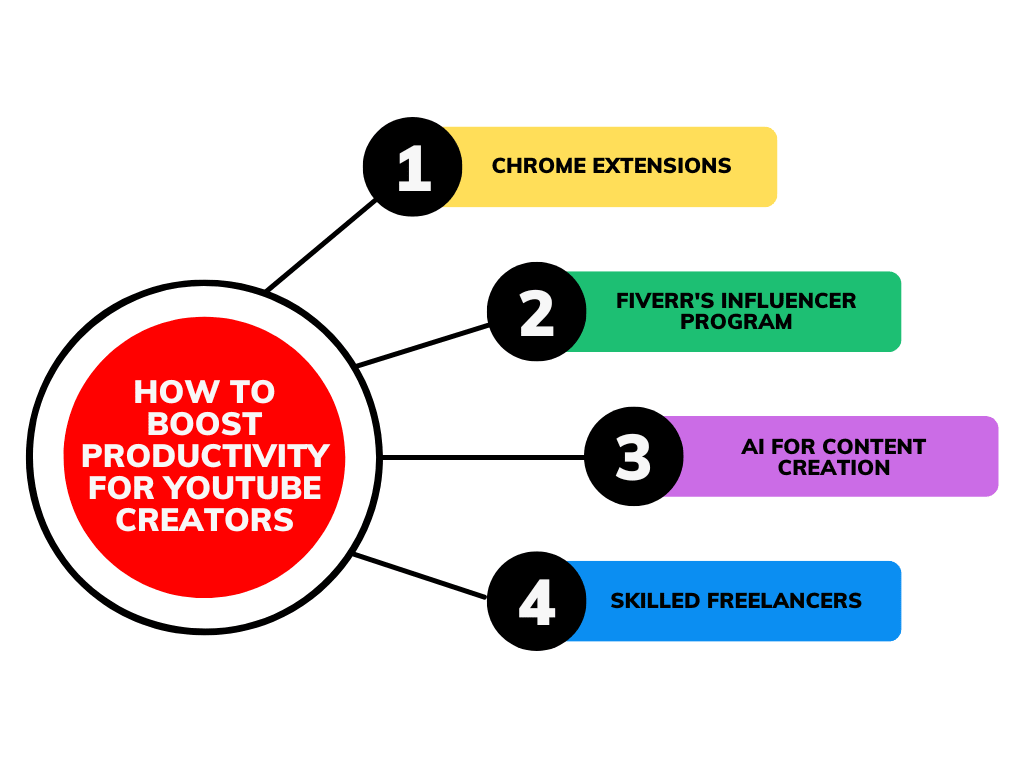
Fiverr’s Influencer Program
- Fiverr credits. Take your content production to the next level by collaborating with one of Fiverr's talented freelancers. Receive credits to boost your content, without spending a penny.
- Promo codes. Provide your viewers with an exclusive Fiverr coupon code that gives them a discount on all Fiverr purchases.
- More engagement. Influencers who post about Fiverr tend to see higher views and engagement rates, leading to more promotion for us and increased traffic for you.
- Higher commission rates. The commission you earn may increase by up to 100%, depending on the partnership program you select.
AI for YouTube Creators
- Build an SEO strategy with AI
- Use text-to-image AI tools like Midjourney to power your business
- Experiment with AI video generators