Browse categories
Explore
Fiverr Pro
English
$
USD

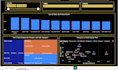
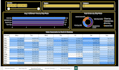

Turning raw data into clear, actionable dashboards so you can make decisions with confidence, not guesswork.
I design interactive Power BI dashboards that transform messy spreadsheets and disconnected data into clean, visual reports your whole team can actually use.
What you get:
Great for: sales reports, inventory tracking, financial summaries, operations dashboards, or any recurring report you're currently building manually in Excel.
Send your data (or sample data) and tell me what decisions you're trying to make I'll design a dashboard that answers those questions at a glance.
Senior dotNET Developer, AI Powered Business Solutions, Power BI Expert
Languages
1. What file formats do you accept for my data?
I accept Excel (.xlsx), CSV, Google Sheets, and — depending on your package — direct database connections. If your data is in another format, message me before ordering and I'll confirm compatibility.
2. Do I need a Power BI license to view my dashboard?
No — Power BI Desktop is free to open, view, and edit your dashboard file. A paid Power BI Pro license is only needed if you want to publish/share the dashboard online with your team through the Power BI Service.
3. Can you connect to my live/existing database?
Yes, for Standard and Premium packages I can connect to live data sources (SQL, cloud databases, etc.) rather than static files — please share your database type in advance so I can confirm setup requirements.
4. How much data can you handle?
Basic package supports smaller datasets (up to ~2 data sources); Standard and Premium handle larger, multi-source datasets. If you have a very large dataset (100k+ rows), message me first so I can advise on performance and pricing.
5. Will you clean my messy data too, or just build the dashboard?
Data cleaning is included from the Standard package upward (deduplication, formatting fixes, handling blanks/errors). Basic package includes only minor cleanup — for heavily messy data, Standard or Premium is recommended.
6. Can I make changes after delivery?
Yes — each package includes a set number of revisions (see package details). Revisions cover formatting, chart changes, and adjustments within the original scope; new features or additional data sources may be quoted separately.
7. Do you provide the editable Power BI file (pbix), or just images/PDF?
You'll receive the fully editable pbix source file, so you (or anyone on your team) can update it, refresh data, or modify it later — not just static exports.
8. Can the dashboard update automatically when my data changes?
The dashboard structure updates instantly when you refresh the data connection in Power BI Desktop. Fully automated/scheduled refresh requires Power BI Service (and a Pro license), which I can help set up as an add-on.
9. What's the difference between your Basic, Standard, and Premium packages?
Basic is a single-page dashboard for quick, simple reporting needs. Standard adds more pages, data cleaning, and interactivity (slicers). Premium includes a full multi-page dashboard, custom KPIs, complete data cleaning, and a 1-on-1 call to walk you through how everything works.
10. What if my project does not fit any of the listed packages?
No problem — message me with your requirements before ordering and I will put together a custom quote tailored to your data, timeline, and complexity.


