Browse categories
English
$
USD
Connect to your AI


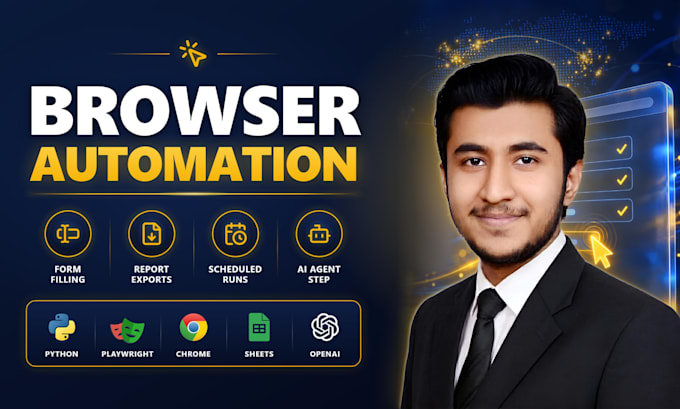
Still filling web forms, clicking through portals or downloading reports by hand? I build browser automation in Python with Playwright that does it for you, on sites and accounts you own or have permission to automate.
What I automate:
Why me: I am an AI agent engineer. I built an agent for SAP SuccessFactors troubleshooting that drives a real browser with Playwright and a vision model. Every order comes with readable Python code, a setup guide and a recorded test run on copies of your pages.
Authorized sites and accounts only. No CAPTCHA or 2FA bypass, anti-detect browsers, proxy rotation, bulk accounts or social media bots. Your logins stay in a .env file on your machine, never in the chat.
Not sure which package fits? Message me here with your steps and I will suggest one before you order.
AI Agent Engineer: Automation, RAG and Dashboards
Languages
Which sites can you automate?
Authorized sites and accounts only, no CAPTCHA or 2FA bypass. That means sites you own, or sites you may automate under their terms, such as internal tools, admin panels and work portals. This is task automation, not scraping for hire.
What will you not build?
No CAPTCHA, 2FA or MFA bypass, anti-detect browsers, fingerprint spoofing or rotating proxies. No bulk account creation, no social media, ticket or sneaker bots, no data from sites you have no permission to use, and nothing that breaks a site's terms.
What do you need from me to start?
Your confirmation that you own the account or have permission to automate it, the site address, a step list or screen recording of the manual workflow, and sample input data. A test account for your own test runs helps where the site allows one.
Do I need to send you my password?
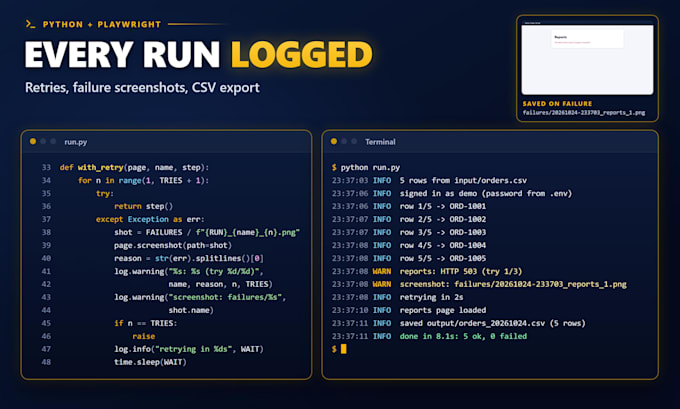
No, not even for a test account. Your logins stay in a .env file on your machine. I build from your step list, recording and saved pages, then you run the script and send me the run log and failure screenshots, and I fix what they show.
What do I receive, and how fast?
Full Python source code, a requirements file, a setup guide and a recorded test run on copies of your pages, in 2, 4 or 7 days by package, from when you submit the requirements. The code is yours to run and change. Hosting costs stay on your side.
Can the script run on a schedule?
Yes, in Standard and Premium. I prepare a cron or Windows Task Scheduler setup for your PC or server with step-by-step instructions, plus run logs and a screenshot whenever a step fails.
What does the AI step do, and do I need an API key?
Premium only. One step sends the page to an LLM or vision model, such as OpenAI, Claude or Gemini, using your own API key. It picks the next action or extracts fields. Usage is billed to your provider account.
What if the website changes after delivery?
Revisions cover fixes to what I built during the order. If the site changes its layout or login flow after delivery, updating the script is a new order sized to the change.