Browse categories
English
$
USD
Connect to your AI



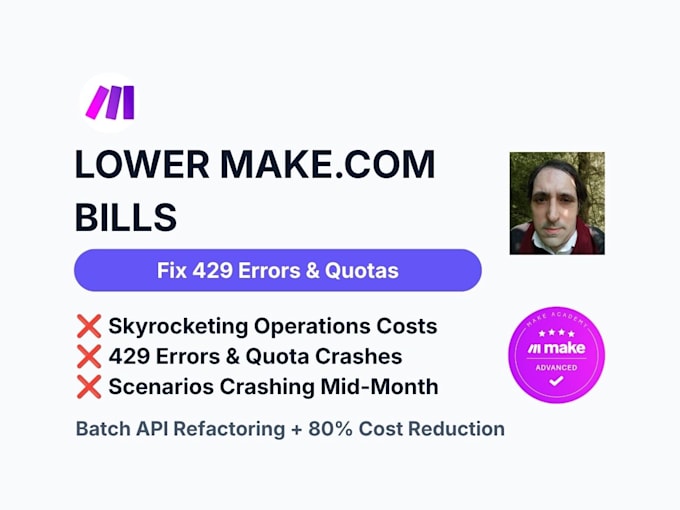
Is your Make.com bill skyrocketing or scenarios crashing with 429 errors?
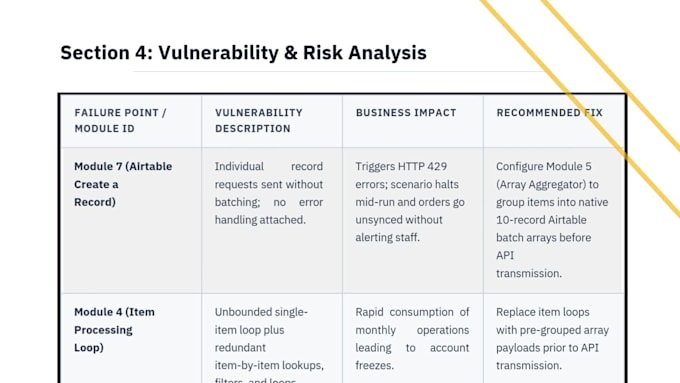
When syncing line items (Shopify, QuickBooks, leads) to Airtable, standard setups burn 1 op per item. A 50-item order wastes 50 ops instantly - driving up your monthly bill ($100$400+/mo) and causing mid-month crashes.
CERTIFIED MAKE EXPERT:
Certified Advanced across Make Academy tracks. I build clean, enterprise-grade scenarios that won't break under load.
WHAT I FIX:
️100% SECURE "AIR-GAPPED" SERVICE:
No login access required!
1. Export your Make scenario as a .json file (check FAQs section).
2. Send it to me.
3. I refactor and return the file for 1-click import.
FREE FEASIBILITY AUDIT:
Message me your .json file for a free review before ordering!
Database and Codebase Diagnostic Specialist
Languages
What qualifications do you have with Make.com?
I hold official Make Academy certifications covering Foundation, Basics, Intermediate, through to Advanced levels. I specialize in low-operation scenario design, advanced data structure transformations, custom HTTP API integrations, and rate-limit error prevention.
Do I need to share my Make.com or Airtable login credentials?
No, never! To keep your data 100% secure and private, you only send me your scenario as an exported .json blueprint file along with a dummy/sample payload. I refactor the structure in my isolated environment and send back an updated file for you to import with one click.
How do I export my scenario .json blueprint file from Make.com?
Exporting takes under 10 seconds: 1. Open your scenario in the Make.com Scenario Builder. 2. Click the three dots (...) menu located on the controls toolbar (or top corner depending on your builder layout). 3. Select Export blueprint. 4. A .json file will automatically download to your computer
How do I import the optimized .json file back into my Make account?
1. Open Make.com and click Create a new scenario. 2. Click the three dots (...) menu in the editor. 3. Select Import blueprint and choose the updated .json file I delivered. 4. Re-select your saved Airtable connection from the dropdown menu and click Save.
Why am I getting "429 Too Many Requests" or quota errors in Airtable?
Airtable limits incoming API requests to 5 per second. When Make sends line items (from Shopify, QuickBooks, or webhooks) one-by-one in rapid loops, it exceeds Airtable's speed cap and crashes your workflow. Grouping items into native 10-record batches prevents rate limits completely.
Will this break my existing Airtable base structure or formulas?
Not at all. The data mapping remains identical.
What if I'm not sure if my scenario can be batched?
Send me a message with your .json blueprint file before ordering! I will perform a Free Feasibility Audit to inspect your data structure and confirm the exact operation reduction you can expect before you spend any money.