Browse categories
Explore
Fiverr Pro
English
$
USD
OBS STUDIO
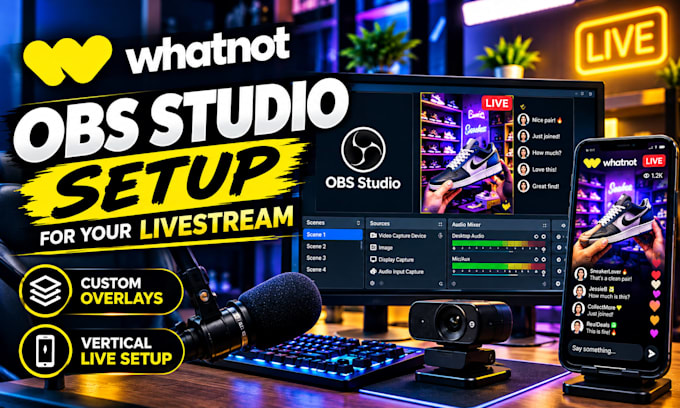
Want a smooth and professional Whatnot livestream without struggling with OBS Studio settings?
I will set up and configure OBS Studio for your Whatnot livestream so you can focus on selling and engaging with your audience.
My service includes OBS Studio configuration, scene and source setup, webcam integration, microphone and audio settings, display capture, browser sources, and livestream optimization. I can also help configure overlays, alerts, transitions, and other essential elements for a clean and professional broadcast.
Whether you are new to livestreaming or already selling on Whatnot, I will organize your OBS setup according to your streaming needs and test the configuration to help ensure everything works properly before you go live.
What I can set up:
OBS Studio configuration
Whatnot livestream setup
Scenes and sources
Webcam and microphone
Audio/video settings
Overlays and alerts
Stream testing and troubleshooting
Please contact me before ordering if you have a specific setup or custom requirements.
Software:
OBS Studio
Platform:
•
Twitch
•
YouTube
Purpose:
Gaming
•
Music
Do I need OBS Studio already installed?
No. I can help you install and configure OBS Studio as part of the setup.
Can you connect OBS Studio to Whatnot?
Yes, I can configure the necessary streaming settings and help you prepare OBS for your Whatnot livestream.
Can you set up my webcam and microphone?
Yes. I can configure your camera, microphone, audio levels, and related OBS sources.
Can you create scenes and overlays?
Yes. I can organize professional scenes and add suitable overlays, alerts, images, and other stream elements.
Do you guarantee that my livestream will never have problems?
No. Streaming performance can depend on your computer, internet connection, hardware, and platform conditions. I will test the configuration and troubleshoot setup-related issues.
