Browse categories
English
$
USD
Connect to your AI


Are you looking to give your channel a professional look when you're away from the keyboard?
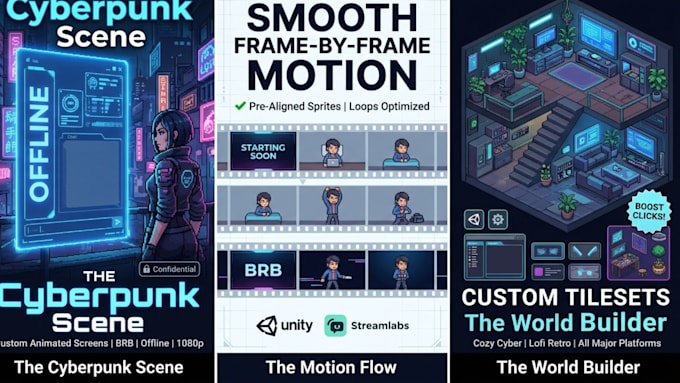
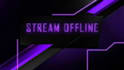
Welcome to your ultimate destination for custom stream screens! I specialize in designing eye-catching animated and static twitch offline screens, starting soon screens, BRB screens, and complete stream overlays tailored for Twitch, Kick, and YouTube creators.
Whether you want a moody cyberpunk vibe, a cozy lofi room loop, or a clean minimalist design, I deliver high-quality, professional assets optimized for OBS Studio and Streamlabs.
WHAT I OFFER:
Custom Twitch Offline Screens & Banners
Animated Starting Soon & BRB Screens
Complete Stream Overlays & Matching Panels
High-Resolution 1080p Loops (MP4 / GIF) & Source Files
WHY CHOOSE MY GIG?
100% original custom artwork tailored to your channel aesthetic
Fast delivery, clear communication, and seamless OBS setup support
Professional polish that turns casual viewers into loyal followers
Level up your channel identity today! Send me a message with your branding or color scheme before ordering.
Please inform the freelancer of any preferences or concerns regarding the use of AI tools in the completion and/or delivery of your order.
Elite 16 Bit, NSFW Pixel Artist and RPG Maker Specialist
Languages
What file formats will I receive upon delivery?
You will receive high-resolution PNG files for static screens or looping MP4/GIF files optimized specifically for OBS Studio and Streamlabs.
Are these screens compatible with Twitch, Kick, and YouTube?
Yes! All graphics are designed universally in 16:9 widescreen format, perfectly fitting any major streaming platform.
Can you match my channel logo, character, or color theme?
Absolutely. Send over your logo, brand colors, VTuber model, or reference boards, and I will custom-tailor the graphics to match your exact vibe.
How do I add these screens to OBS Studio?
It is very easy! You simply create a "Scene", add an "Image" source (for static) or "Media Source" (for animated MP4s), and check the loop box. I can provide a quick walkthrough if needed.