Browse categories
Explore
Fiverr Pro
English
$
USD


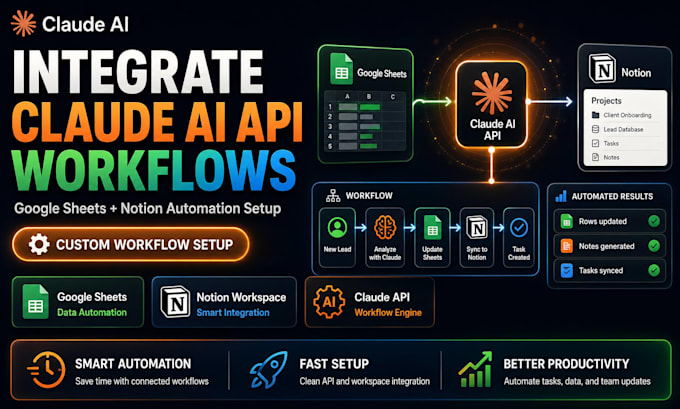
Your team jumps between Google Sheets and Notion all day, copying data, summarizing notes, and updating reports manually. It's slow, error-prone, and drains energy from work that actually matters. A smart automation layer between your tools changes everything.
I integrate Claude AI API with Google Sheets and Notion to build automated workflows that handle the busywork for you. Claude reads, summarizes, categorizes, and generates content while your tools stay in sync. Data flows seamlessly, reports write themselves, and your team focuses on decisions, not data entry.
SERVICES I OFFER:
Ready to connect your workspace tools with a Claude AI automation engine? Message me or Order Now to get started.
I help your team save time with smart Claude AI automations
Languages
Do I need paid accounts for Google Sheets, Notion, and Claude API?
You need a Claude API account and standard Google and Notion accounts. Google Sheets API is free with usage limits. Notion API is free for most use cases. I'll confirm what's needed for your specific workflow before we start building.
What kind of tasks can Claude automate between Sheets and Notion?
Claude can summarize Notion pages into Sheets, enrich lead lists, categorize database entries, generate reports from raw data, turn meeting notes into task lists, and sync information bidirectionally. If it involves reading, writing, or reasoning across these tools, Claude can automate it.
Will the automation run automatically or do I have to trigger it manually?
I can set up both options based on your preference. Automated triggers run when data changes, on a schedule, or via webhook. Manual triggers work with a simple button click. The premium package includes fully automated triggers with monitoring built in.