Browse categories
Explore
Fiverr Pro
English
$
USD
Reliable Bookkeeping, PDF Automation and Webflow Solutions for Your Business
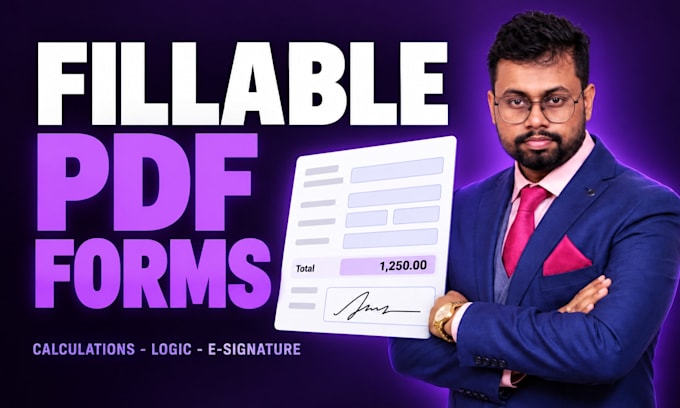
Most fillable PDFs are just a scan with boxes drawn on top. This one does arithmetic, checks its own answers and sends itself when it is done.
I build fillable PDF forms in Adobe Acrobat: properly aligned fields, tab order that follows the eye, and the logic underneath that stops people submitting
nonsense.
WHAT I BUILD
- Text fields, dropdowns, checkboxes, radio buttons and date pickers, all named sensibly
- Live calculations: totals, subtotals, tax, percentages, running balances
- Validation that rejects a bad date, a blank required field or an out-of-range number
- Conditional logic: sections that appear only when they are relevant
- Digital signature fields, and a Submit button that emails the completed form
- Optional: answers landing straight in a Google Sheet or Excel workbook
- A clean layout redesign, not just boxes over your old scan
HOW IT WORKS
Send the form you have, in any format, and tell me what should be calculated or checked. I confirm the scope and a fixed price before you order. You get the
editable source file, so your team can change wording later without paying anyone.
Not sure which package? Message me first.


Convert from:
Other
Convert to:
Will it work in Adobe Reader and on a phone?
Yes. I build to the standard AcroForm spec, which opens in free Adobe Reader on Windows and Mac. Phone and browser viewers support fields and signatures, though some ignore JavaScript calculations — I will tell you if that affects your form.
Do I get a file I can edit later?
Yes. You get the working PDF plus the editable source, and a short note explaining how the fields and calculations are wired. You are never stuck paying someone to change a label.
Can the form email itself when it is submitted?
Yes. I add a submit button that attaches the completed PDF to an email, or posts the data to a Google Sheet. Tell me the address or the sheet and I set it up.
Can you redesign the layout, not just add fields?
That is the Standard and Premium packages. I rebuild the page properly: consistent spacing, real typography, your logo and colours. Basic keeps your existing layout.
How many pages can you do?
Each package lists a page count. Beyond that, send the document and I will quote a fixed price. Long forms are usually cheaper per page, not dearer.
Is my document kept private?
Yes. I only need the blank form, not filled-in records. If your document contains personal data, remove it first or send a blank template and I will build from that.