Browse categories
Explore
Fiverr Pro
English
$
USD
Analytics Engineer and Power BI Expert
Level 2
Has met high performance criteria and has a proven track record for meeting client expectations.
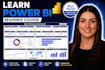
Learn Microsoft Power BI from the ground up with this beginner-friendly, self-paced video course.
Whether you're an Excel user, student, career changer, business professional, or small business owner, this course will teach you how to build your first interactive Power BI dashboard with confidence.
You'll learn how to connect Excel data, clean it with Power Query, create beginner DAX measures, build charts, cards, slicers, and professionally format and publish your dashboard.
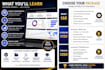
Basic ($50):
12 pre-recorded video lessons (43+ minutes)
Sample dataset
Starter & finished Power BI files
DAX cheat sheet
Dashboard design checklist
Practice assignment
Lifetime access
Standard ($150):
Everything in Basic, plus a 60-minute 1-on-1 Zoom session to answer questions, review your dashboard, or work through your own data.
Premium ($200):
Everything in Standard, plus personalized review of your practice assignment and a Certificate of Completion upon successful submission.
Created by a Certified Data Scientist with a Master's in Data Science and 6+ years of Power BI experience helping businesses build professional dashboards. Learn at your own pace and start building dashboards today!

Analysis type:
Quantitative Analysis
•
Qualitative Analysis
Technology:
Excel
•
Power BI
Programming language:
DAX
Do I need any Power BI experience?
No! This course is designed for complete beginners. I'll guide you step by step from downloading Power BI to building your first dashboard.
Is this a live class or a recorded course?
The Basic package is a self-paced, pre-recorded video course. The Standard and Premium packages also include a live one-hour coaching session with me.
What software do I need?
You'll need Power BI Desktop, which is free to download for Windows. If you're using a Mac, you'll need a virtual machine or Windows environment to run Power BI Desktop.
What files are included?
You'll receive the sample Excel dataset, starter and finished Power BI files, DAX cheat sheet, dashboard design checklist, glossary, practice assignment, and additional learning resources.
How long is the course?
The course includes 12 video lessons with over 43 minutes of instruction that you can watch at your own pace.
Will I receive a certificate?
Yes! The Premium package includes a Certificate of Completion after you successfully submit the practice assignment for review.
Can I ask questions if I get stuck?
Absolutely. Standard and Premium packages include a live one-hour coaching session. You can also join the Discord community for additional support.
Can I use my own data instead of the sample dataset?
Yes. During the one-on-one session included in the Standard and Premium packages, we can review your own Power BI project or dataset if you'd like.


