Browse categories
Explore
Fiverr Pro
English
$
USD
Jira an Atlassian Specialist, Agile Solutions, IT Project Management
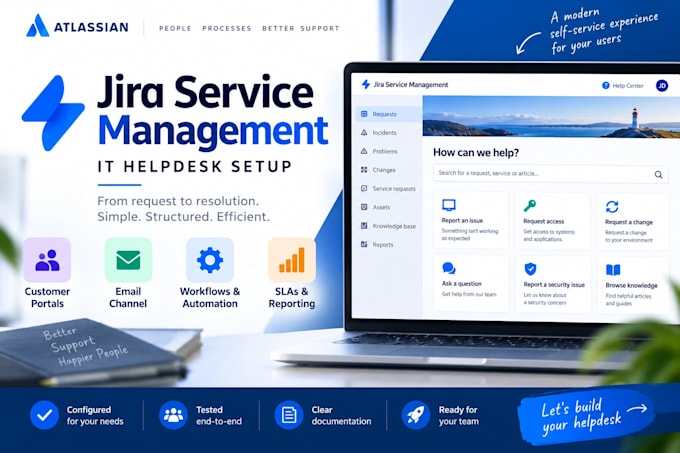
Turn support requests into a clear, organized process.
I set up and optimize Jira Service Management Cloud for your IT helpdesk, from customer request to resolution.
Depending on your package, I provide:
Every setup is tested from the customer and agent perspective: request submission, queue visibility, public replies, internal notes and resolution. Included SLAs and automations are also tested.
BASIC: A small helpdesk using a standard workflow.
STANDARD: An adapted workflow, SLA and basic automation.
PREMIUM: More request types, workflows and automation, plus a dashboard.
Packages cover one service project for one team. Licenses are not included.
Need more? I also offer consulting, external mailbox or Slack integrations, Confluence knowledge bases, additional projects and ongoing support via custom offers.
Please message me before ordering to agree the scope and select the right package.

Industry:
Business services & consulting
•
Cyber security
•
Software
Software:
Atlassian
1. Can you set up a new helpdesk or improve an existing one?
Both, within the selected package scope. You provide Jira Service Management Cloud, the required licenses and authorized access. We agree the process and check access before starting. Extensive cleanup, migrations and additional projects require a custom offer.
2. What are the configuration limits?
Each package covers one project and one team using existing fields. Basic, Standard and Premium include up to 2, 3 and 5 queues. Custom workflows have up to 5 statuses, without complex approvals. Each SLA metric includes one calendar and up to 3 targets.
3. What counts as a basic Jira automation?
One simple rule within the agreed project, such as assigning a request or sending an internal notification. Planning, configuration and testing are included. External API calls, scripts and cross-project synchronization require a separate quote.
4. Is email setup included?
Yes. The native JSM project email channel is configured and tested. Connecting external Microsoft 365 or Google mailboxes, resolving mail-server issues or integrating Slack requires a separate scope and quote.
5. What training and documentation are included?
Basic includes a setup summary and up to 15 minutes of introduction. Standard includes a concise setup guide and up to 30 minutes of handover. Premium includes a concise guide and up to 45 minutes. Extra Training adds a further 60 minutes.
6. What do the listed extras include?
Extras add one simple workflow ($40), one basic automation including implementation ($35), 60 minutes of training ($50), or one SLA metric ($25). They extend your package and follow the limits above. Additional projects and external integrations are quoted separately.
7. Can I book additional consulting or a setup review?
Yes. A 60-minute JSM consulting session costs $60 and covers one agreed topic with practical recommendations. Configuration work and extensive preparation are not included. Please message me to arrange the session through a custom offer.
8. Can you help with integrations, a knowledge base or ongoing support?
Yes. I offer external mailbox and Slack integrations, Confluence knowledge bases, additional JSM projects and post-launch support. These are quoted separately, with agreed deliverables and a time budget. They are not included in the package prices.
9. What counts as a revision?
A revision is one consolidated round of adjustments within the agreed scope. New features or a changed support process require a separate quote. Corrections to my agreed implementation are not charged as extras. Ongoing administration is not included.
