Browse categories
Explore
Fiverr Pro
English
$
USD
Bookkeeping Support QuickBooks Online, Xero, Zoho Books and Wave
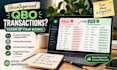
Organize your QuickBooks Online records by getting uncategorized business transactions reviewed and assigned to appropriate existing income or expense accounts.
I will review transaction details in your QBO account, categorize clear business transactions, identify possible duplicates or transfers that need attention, and flag unclear items for your confirmation instead of guessing.
This service includes:
- Review and categorization of uncategorized transactions
- Income and expense classification using your existing chart of accounts
- Review of vendor descriptions and transaction details
- Flagging unclear, personal, duplicate, or transfer items for review
- A concise summary of completed work and items needing your input
A cleaner transaction ledger can make records easier to review and support your ongoing bookkeeping workflow.
To get started, please provide:
- The approximate transaction count and date range
- The number of accounts included
- Any existing category rules or business context
- Relevant supporting information for transactions that need clarification
Choose the package that matches your transaction volume. For a large backlog or unusual transactions,

Financial software:
QuickBooks
•
Odoo
•
Zoho Books
Industry:
Business services & consulting
•
E-Commerce
Target country:
United Kingdom
•
United States
Please note that there is no screening process for this service. We recommend that you message the freelancer and check all necessary details before placing your order. Read more about Financial services at Fiverr.
What does this service include?
I review and categorize the agreed number of uncategorized transactions using available details and your existing chart of accounts. Unclear transactions are flagged for your confirmation.
Do you work with QuickBooks Online?
Yes. This gig is specifically for QuickBooks Online.
How many transactions can you handle?
Basic covers up to 50 transactions, Standard up to 150, and Premium up to 300 transactions across up to two accounts within one business.
What happens if a transaction is unclear?
I flag it for your clarification rather than guessing its category. Supporting details may be needed before it can be categorized appropriately.
Do I need to provide bank statements?
Not always. If the transaction details in QuickBooks Online are sufficient, additional documents may not be necessary. Statements or receipts can help when details are missing.
Can you clean up transactions from several months?
Yes, if the transaction count and complexity fit the selected package. Confirm larger backlogs before ordering.
Can I order for more transactions?
Yes. Share the estimated transaction count, date range, and number of accounts so the additional scope can be assessed before work begins.
