Browse categories
English
$
USD
Connect to your AI

Level 1



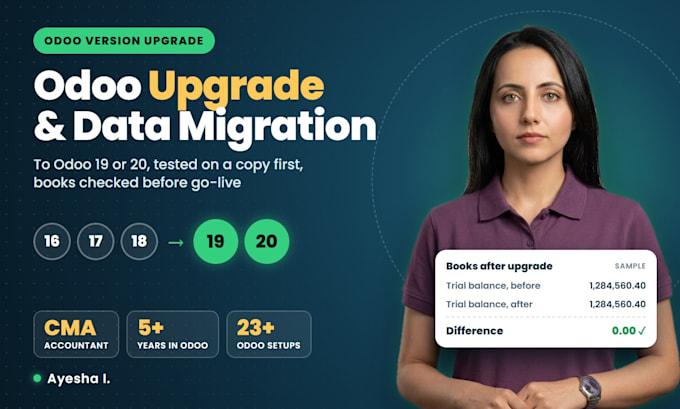
Odoo 17 lost standard support in September 2026. I upgrade your database to Odoo 19 or Odoo 20 and prove nothing was lost: as an Odoo migration expert and a CMA (management accountant), I match your books before and after the upgrade.
What I do:
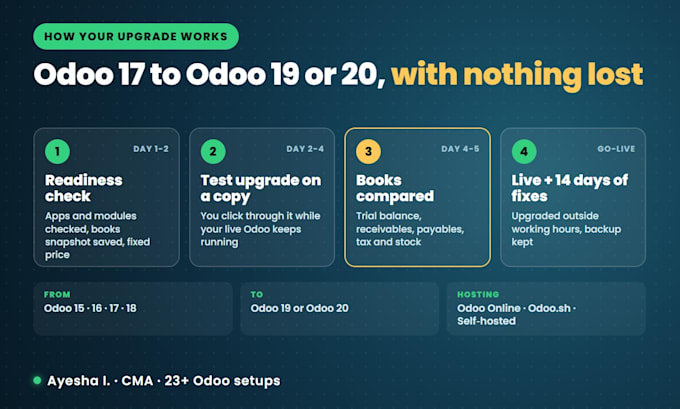
Odoo version upgrade from Odoo 15, 16, 17 or 18 to Odoo 19 or Odoo 20 (most common: Odoo 17 to Odoo 19, Odoo 18 to Odoo 19, Odoo 16 to Odoo 20)
Test upgrade on a copy first, then go-live on a date you pick
Odoo data migration from QuickBooks, Xero, Excel or an old Odoo database
Database migration between Odoo Online, Odoo.sh and your own server
Studio fields, reports and automated actions checked and repaired
Your books, checked before go-live:
Trial balance matched to the cent, period by period
Aged receivables and payables, tax report and stock valuation compared
Bank reconciliations and open invoices carried over
A before-and-after report you keep
5+ years in Odoo and 23+ Odoo setups, Community and Enterprise.
Send me your current Odoo version, where it is hosted and the apps you use. I'll reply with the safest upgrade path and a fixed price.
Accountant Bookkeeper on Odoo, QuickBooks, Xero, Accounting Softwares
Level 1
Languages
Which Odoo versions can you upgrade?
From Odoo 15, 16, 17 or 18 to Odoo 19 or 20, on Odoo Online, Odoo.sh or your own server. Enterprise databases go through Odoo's official upgrade, which I run, test and check. Community upgrades are quoted after the readiness check.
Will I lose data or have downtime?
I upgrade a copy first and you test it. Your live database is upgraded only after you approve, usually outside working hours, and a full backup is kept until you are happy.
What about my custom and third-party modules?
The readiness check lists every custom and third-party module and what it needs to run on the new version. Code changes are quoted separately, so the upgrade price stays fixed.
How do you check my accounting after the upgrade?
Before the upgrade I save your trial balance, aged receivables and payables, tax report and stock valuation. After it, I compare every figure and fix any difference before go-live. You get both reports.
Should I move to Odoo 19 or Odoo 20?
Third-party apps usually reach a new version months after release, so 19 is often the safer step if you rely on them. Choose 20 for the newest AI features. The readiness check shows which of your apps are ready for each.
Can you also move data from QuickBooks or Excel into Odoo?
Yes. Customers, vendors, products, open invoices and bills, opening balances and history, with the trial balance matched to your old system.