Browse categories
Explore
Fiverr Pro
English
$
USD



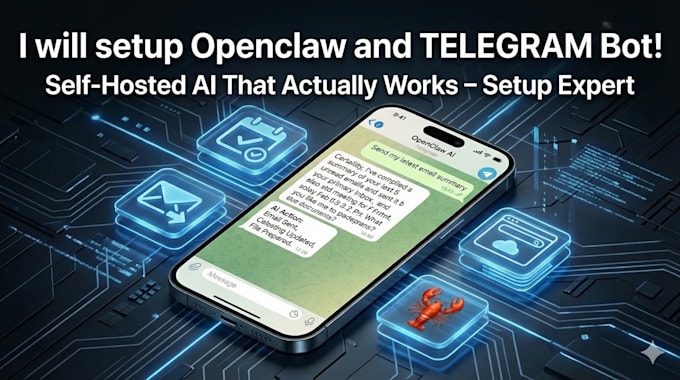
Tired of generic chatbots? Want your own private, always-on AI assistant that actually does things for you right from WhatsApp, Telegram, Discord, or any chat app you already use?
OpenClaw (the open-source sensation with massive GitHub popularity) is the ultimate self-hosted personal AI agent. It connects powerful LLMs (like Claude, GPT, Grok, or local models) to your messaging apps, handles real tasks like clearing your inbox, managing your calendar, sending emails, browsing the web, controlling files, and much more all running locally on your PC, Mac, Linux machine, or VPS for maximum privacy and speed.
No more cloud dependency or data leaks. You own your AI it feels like having a 24/7 personal assistant in your pocket.
Please send a message before ordering
As an experienced OpenClaw specialist, I'll handle everything so you can start chatting with your AI in no time:
Full Stack Developer Python,Go,Nodejs,React,PHP
Languages
What exactly is OpenClaw?
OpenClaw is an open-source, self-hosted personal AI assistant (previously known as Clawdbot/Moltbot) that runs on your own PC, Mac, Linux machine, or VPS. It connects powerful AI models (like Claude, GPT, Grok, or local models via Ollama) to your everyday messaging apps — WhatsApp, Telegram, Discord
How do you perform the setup? Is it remote or do I do it myself?
I prefer secure remote access (using tools like AnyDesk, TeamViewer, or RustDesk — your choice) to install and configure everything directly on your machine. If you prefer not to grant remote access, I provide step-by-step instructions (with screenshots/videos) tailored to your system.
What do I need to provide before we start?
Just share: Your operating system (Windows, macOS, Linux) and basic specs (CPU/RAM). Preferred AI model/provider (e.g., Anthropic/Claude API key, OpenAI key, local Ollama setup). Which messaging apps you want to connect (Telegram, WhatsApp, Discord, etc.). Any specific tasks/skills you want
What if I run into errors or it stops working after setup?
I offer revisions and support included in the package (up to 7–14 days depending on tier). Common issues like context limits, token mismatches, skill timeouts, or pairing problems are things I routinely fix. If something is truly unresolvable (rare hardware incompatibility), I'll refund you.
Do I need to pay for AI usage (like Claude or GPT)?
Yes — OpenClaw itself is free/open-source, but it uses your chosen LLM provider's API (Anthropic, OpenAI, etc.), so you'll pay for tokens/usage directly to them. I help optimize (routing to cheaper models for simple tasks) to keep costs low. Local models via Ollama are free if you have the hardware.
What happens if OpenClaw updates or something breaks later?
OpenClaw gets frequent updates. In Premium, I include 14-day support for tweaks/updates. You can always message me for paid follow-up help. Many clients keep it running smoothly for months with minimal maintenance.