Browse categories
Explore
Fiverr Pro
English
$
USD
Stop Landing in Spam! Professional Email Setup & Manual Outreach
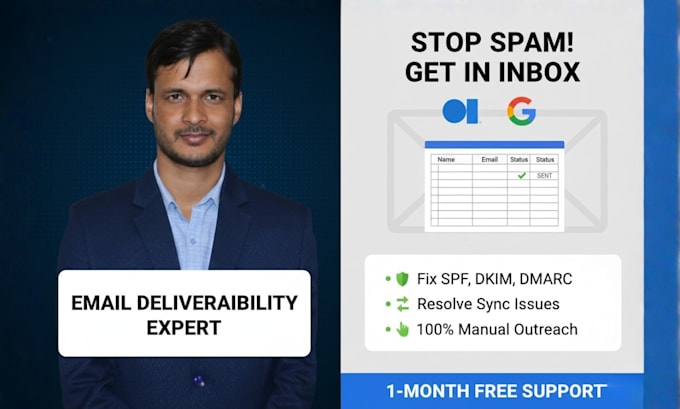
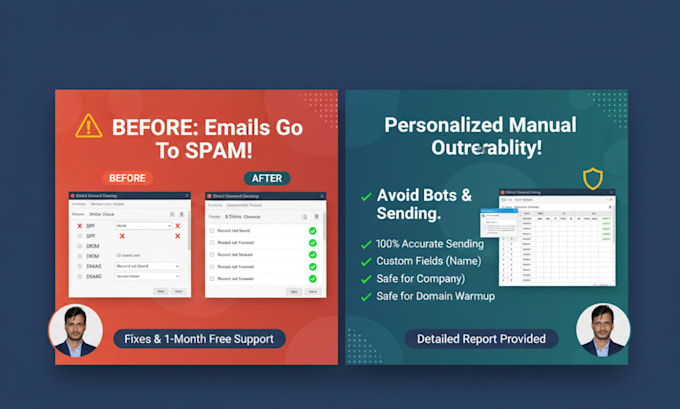
Are your business emails hitting the junk folder? Or are you struggling with "Send/Receive" errors in Outlook and Gmail? I provide a complete solution that fixes your technical issues and handles your manual email sending with 100% accuracy.
What I will do for you:
1. Technical Deliverability & DNS Setup I will expert-manage your DNS records to ensure a professional sender reputation:
2. 100% Manual Email Sending Avoid automated bots that get your domain blacklisted. I will manually send up to 500 emails one-by-one to ensure:
Why Choose Me?

Email Provider:
Gmail
•
Yahoo
•
Microsoft Outlook
•
Outlook
•
Webmail
Expertise:
Security
•
IMAP
•
POP
•
Setup
•
Configuration
What is the benefit of sending emails manually instead of using a tool?
Sending emails one-by-one is the safest way to ensure they land in the Primary Inbox rather than the "Promotions" or "Spam" tabs. Automation bots can often trigger security filters, whereas manual sending mimics natural human behavior, protecting your domain's reputation.
Will fixing SPF, DKIM, and DMARC really stop my emails from going to spam?
Yes. These are authentication protocols that prove to email providers (like Google and Outlook) that you are a legitimate sender. Without them, your emails are much more likely to be flagged as suspicious or bounced.
Can you fix sync issues between my phone and computer?
Absolutely. I specialize in resolving mail sync issues by correctly configuring IMAP, POP3, and SMTP settings. I can ensure your Gmail, Outlook, or Yahoo account stays perfectly updated across all your devices.
What information do you need to get started on the technical setup?
I will typically need access to your DNS management (like Cloudflare, GoDaddy, or Namecheap) and your email service provider login (G Suite, Office 365, etc.) to apply the necessary fixes.
Do you provide a report after sending the manual emails?
Yes. Once the task is complete, I provide a detailed report (usually in Excel or Google Sheets) showing exactly which emails were sent, the time they were sent, and any other data points you require for your records.