Browse categories
Explore
Fiverr Pro
English
$
USD


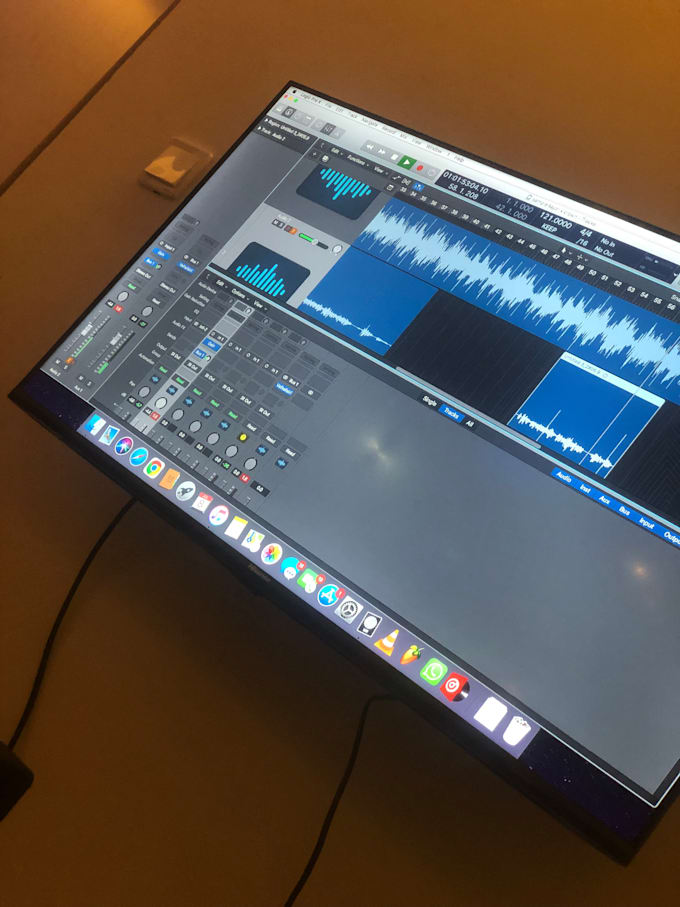
I'll be the caretaker of your song, meticulously editing tracks to eliminate any unwanted noises before diving into the mixing process. Whether it's a full digital approach "in the box," an entirely analog method "out of the box," or a hybrid of both, I'll tailor the approach to suit the sonic needs and essence of your piece.
Once the mix reaches its zenith, I'll ensure it's polished and finalized to meet the highest professional standards of the industry.
Communication is key throughout the process. Whether it's before, during, or after the processing, I'm here to ensure your complete satisfaction. While reference tracks from you are welcome, they're not mandatory.
For any inquiries, information, or even just to brainstorm ideas, feel free to reach out. I'm eager to assist you and ensure your musical journey is a fulfilling one.
Let the melodies soar!
Producer Rapper Singer Songwriter
Languages
What do you need to send me?
In order to start mixing and mastering your song(s), I need the exported Multi-Tracks or Stems from your recording project. If you are unsure of how to do that, I've included tutorials to some recording softwares/DAWs below. I also want the tracks Dry, without effects.
How many Multi-Tracks or Stems can I send you?
Basic: 5 tracks and below Standard: 5-15 tracks Premium: 15 -25 If you have over 25, please message me first!
What do you mean by "Dry" tracks?
This means that I want the audio instrumentation of your song WITHOUT any sort of plugins or effects. This includes volume and panning as well. All of your audio stems should be exported at 0db, with no effects on them. This way, I can start the mix with fresh levels.
How to export Multi-Tracks/Stems from Garageband
In order to get started, I'll need all tracks exported as audio files from the project. Then, put the audio files in a single ZIP folder and upload here. I do not want the Garageband project. If you are unsure of how to do that, please watch the video below: https://youtu.be/cXX3HINnt8w
How to export Multi-Tracks/Stems from Logic
In order to get started, I'll need all tracks exported as audio files from the project. Then, put the audio files in a single ZIP folder and upload here. I do not want the Logic project. If you are unsure of how to do that, please watch the video below: https://youtu.be/Snf1bWzdipc
How to export Multi-Tracks/Stems from Ableton Live
In order to get started, I'll need all tracks exported as audio files from the project. Then, put the audio files in a single ZIP folder and upload here. I do not want the Ableton Live project. If you are unsure of how to do that, please watch the video below: https://youtu.be/Wz_ewXtJSPA
How to export Multi-Tracks/Stems from Pro Tools
In order to get started, I'll need all tracks exported as audio files from the project. Then, put the audio files in a single ZIP folder and upload here. I do not want the Pro Tools project. If you are unsure of how to do that, please watch the video below: https://youtu.be/YeLyX1CDNwo
How to ZIP a Folder - Mac
Put all of your exported multi-tracks/stem files into a single folder. Right-click, or Control Click, on the folder and choose Compress. Once it's in ZIP folder form, attach that ZIP folder to your Order Requirements.
How to ZIP a Folder - Windows
Put all of your multi-tracks/stem files into a single folder. Right-click (or press and hold) on the folder, select (or point to) Send to, and then select Compressed (zipped) folder. A new zipped folder with the same name is created in the same location. Attach that to your Order Requirements.