Browse categories
Explore
Fiverr Pro
English
$
USD





LIMITED TIME OFFER: Get 50% OFF for the first 5 orders!
Take control of your finances with a minimalist touch!
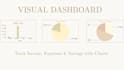
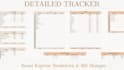
Stop struggling with messy spreadsheets. This Beige Aesthetic Monthly Budget is a fully automated Google Sheets template designed for style and functionality. It does all the math for youno advanced skills required!
What Makes This Budget Special?
Whats Included?
Why Choose This Product?
I focus on tools that are powerful yet beautiful. You will receive a link to copy the template directly to your Google Drive. I provide 24-hour delivery and am always here to help with any questions!
Watch the video in my gallery to see the magic of automation in action!
I will provide an aesthetic and automated monthly budget spreadsheet for google
Languages
Does this work with Microsoft Excel?
No, this specific template is designed exclusively for Google Sheets to ensure all automated features work perfectly.
Do I need a Microsoft Excel subscription to use this?
No! This template is specifically designed for Google Sheets. It is 100% free to use with any Google/Gmail account. You don't need to pay for any additional software.
Is the currency customizable?
Answer: Yes! The template includes a built-in automated script that allows you to change and convert currencies easily. It is designed to work globally, no matter where you are located.
How will I receive the product after purchase?
Once the order is confirmed, you will receive a PDF file containing a unique access link. Clicking the link will prompt you to "Make a Copy" of the spreadsheet into your own Google Drive.
Is my financial data safe?
Absolutely. I never have access to your data. The link creates a private copy in your own Google account, and only you (or people you explicitly share it with) can see your entries.
Can I use this on my mobile phone?
Yes! Since it’s a Google Sheets file, you can access and update your budget on the go using the Google Sheets app on your iPhone or Android device.
Why does Google ask for "Permission" when I open the sheet?
Because of the automated currency script! Simply click "Allow" or "Authorize" to let the automation fetch the latest exchange rates for you.


