Browse categories
Explore
Fiverr Pro
English
$
USD
SEO Expert
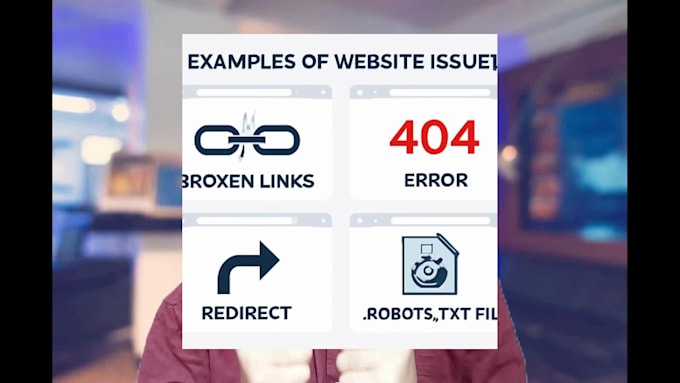
Are you losing traffic due to broken links or technical issues on your website?
I will help you fix the most common SEO problems that affect your site's performance,
THIS GIG INCLUDES:
These errors can harm your website's SEO and user experience. I will carefully check your website and fix these issues to improve your Google ranking and site health.
WHY CHOOSE ME?
>2+ years of SEO & technical experience
>Fast and reliable service
>100% manual fix (no bots)
>On-time delivery and friendly support
Let's make your website error-free and SEO-friendly!
Feel free to message me before placing an order.


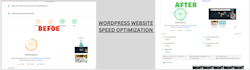
SEO services offer implementation of SEO practices only, which may take weeks or months before any results begin to show.
1. Can you guarantee a specific ranking or traffic increase after fixing these issues?
Ans: No, I can't guarantee a specific ranking or traffic increase after making these fixes. SEO results depend on many factors, including competition, search algorithms, and ongoing optimization. However, addressing these issues will improve your site's foundation and increase its growth potential.
2. When will I see results after fixing these issues?
Ans: After fixing these issues, you may start seeing some changes in a few weeks, but noticeable results typically take 3-6 months. SEO is a long-term strategy, and results depend on competition, keywords, and content quality. Regular updates can help speed up progress over time.
3. Do you accept customized offers?
Ans: yes
4. What are some common technical issues that can affect website performance?
ans: Common website issues include slow load times, broken links, missing meta tags, unoptimized images, poor mobile design, lack of SSL, and duplicate content. These hurt SEO, traffic, and user experience. Fixing them boosts performance, security, and rankings, and keeps visitors engaged.
5. What are broken links, and why are they concerned for website owners?
ans: Broken links lead to non-existent pages, showing an error (like 404). They're a concern because they frustrate users, lead to poor site navigation, and hurt SEO. Search engines see broken links as a sign of low-quality maintenance, which can lower your site's ranking and reduce traffic.
6. What is a 404 error, and how does it relate to broken links?
Ans: A 404 error means a page isn’t found on the server, often due to moved, deleted, or incorrect URLs. This creates broken links, frustrating users, and disrupting navigation. Too many 404s signal poor maintenance for SEO, potentially lowering search rankings.
7. What is a 301 redirect, and when should I use it?
Ans: 301 is used when a page is moved or deleted or when you change a website’s structure. This redirect tells search engines to transfer ranking power to the new URL, helping preserve SEO value and guiding users to the correct page smoothly.
8. How can I identify and fix indexing issues on my website?
ans: To find indexing issues, use tools like Google Search Console to spot unindexed pages or errors. Fixes include updating the sitemap, checking robots.txt, and adding canonical tags. Good content quality and structure also boosts indexing.
9. What are robots.txt and XML sitemap?
Ans: The `robots.txt` file tells search engines which pages to crawl or ignore on your site, helping control which content is indexed. An XML sitemap lists all meaningful URLs on your site, guiding search engines to find and index your pages more effectively. Both improve site crawlability and SEO.
10. How do you detect and resolve canonical errors on my website?
Ans: I analyze your site for canonical errors like duplicate content or missing tags using tools like Google Search Console. Then, I set the correct canonical tags to direct search engines to the main page, boosting SEO clarity and performance.