Browse categories
English
$
USD
Connect to your AI

Level 1

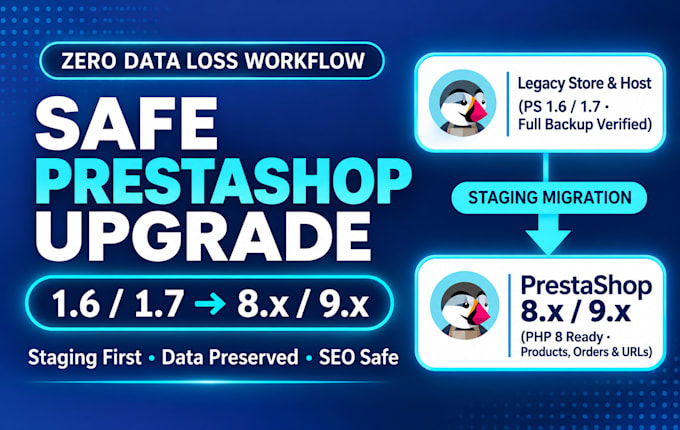
Running an outdated PrestaShop 1.6 or 1.7 store and worried about losing data or breaking SEO during an upgrade? I handle structured PrestaShop version upgrades and server transfers using a staging-first workflow.
What this service covers:
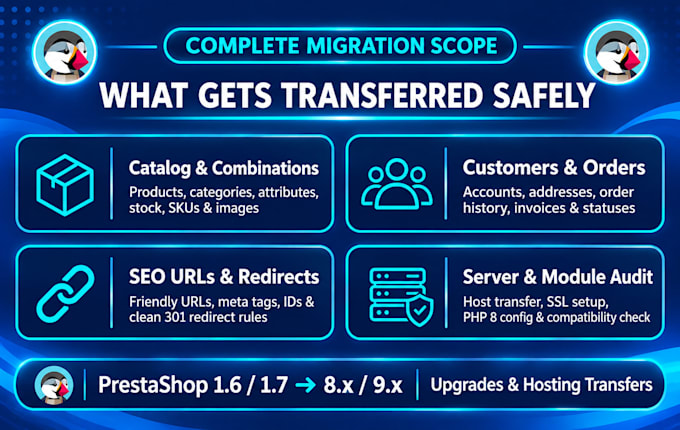
- Version Upgrades: Move safely from PrestaShop 1.6 or 1.7 to 8.x / 9.x with full database, product, customer, and order history preservation.
- Hosting & Domain Transfers: Migrate files, MySQL databases, SSL, cron jobs, and server PHP settings cleanly between hosts.
- SEO URL Continuity: Maintain product/category IDs, friendly URLs, and 301 redirect rules to protect search visibility.
- Compatibility Audit: Check existing themes and third-party modules before pushing changes live.
Important: Always back up before starting. Legacy 1.6 themes or custom modules incompatible with PHP 8+ may require replacement or extra coding, scoped transparently before work begins.
Click "Contact me" with your store URL, product count, and current PrestaShop version for a tailored plan.
Please be aware that it is against Fiverr's policies for sellers to include themes, templates, or any other elements that infringe third-party rights or applicable laws in the delivered work. Read more about in our Guide to Responsible Digital Creation.
PrestaShop Expert, Bug Fixing, Speed Optimization, Migration, 8 Years
Level 1
Languages
Will my products, orders, and customers be preserved?
Yes. All core catalog data (products, categories, combinations, images, customers, and order history) is migrated and verified on a staging copy before cutover.
Will my legacy 1.6/1.7 theme and paid modules work on PrestaShop 8/9?
PrestaShop 8 and 9 run on newer Symfony/PHP 8 architecture, so old 1.6 themes and outdated modules are often incompatible. I audit your module list upfront and advise which ones need updated versions or replacements.
Will my live website go offline during migration?
I build and test the upgraded store in a staging folder/subdomain first so your live shop continues running until final switchover.
Please message me before ordering:
Because store sizes and module counts vary, messaging first lets me confirm exact compatibility, PHP requirements, and delivery time.