Browse categories
English
$
USD
Connect to your AI

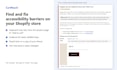
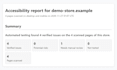
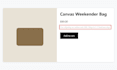
Your Shopify store may have barriers that keep some shoppers from using it, and you may not know it. I find text that is hard to read, links without a name, buttons too small to tap, and pop-ups or "Add to cart" that a keyboard cannot use.
I test your store with my own testing tools: keyboard only, plus the automated WCAG 2.2 level A and AA checks, on desktop and mobile. I check every verified issue by hand, and each comes with evidence: the element, a screenshot and steps you can repeat. When a check cannot decide, I say so instead of guessing.
Packages:
- Basic: a detailed report on 4 pages: home, product, collection and contact (no fixes)
- Standard: the report, plus tested fixes in a copy of your theme and a re-check after you publish
- Premium: Standard, plus a second check and a short report 30 days later
- Every package: clear steps for fixes you make in your Shopify admin
No overlay or widget, no app to install, no login. I never change your live store: you preview the fixed theme and publish it yourself.
The same barriers are what U.S. web accessibility lawsuits are about. I don't promise legal outcomes; I find and fix the barriers I can prove.
Please be aware that it is against Fiverr's policies for sellers to include themes, templates, or any other elements that infringe third-party rights or applicable laws in the delivered work. Read more about in our Guide to Responsible Digital Creation.
Shopify accessibility checks with evidence and tested theme fixes
Languages
Do you need my Shopify login?
No. I check your store from the outside, like a shopper. For fixes, you download your theme file in your Shopify admin and send it to me here.
Will you change my live store?
No. You get a fixed copy of your theme. You upload it as an unpublished theme, preview it, and publish it yourself when you are ready. You can switch back to your old theme at any time.
Can you promise that my store meets the ADA?
No automated check can promise that, and I don't. I check every verified issue by hand. Some things only you can judge, such as whether an image description fits your product; I list those clearly instead of guessing.
Do you add an overlay or widget?
No. I fix the problem in your theme's own code and show you every changed line. Nothing is added on top of your store.
Will my theme developer still support my theme?
They may not: theme developers and Shopify Support may not help with a theme whose code was changed. I list every changed line, so you can show it to them or undo it. Your current theme stays in your theme library.
What if a problem comes from an app?
Apps add their own code to your store. I report the problem with its evidence so you can send it to the app's developer. I can only fix code that is in your theme file.
What happens when I update my theme later?
Shopify keeps code changes in a theme update only when they don't conflict with it, so a fix can be lost. The packages with fixes include one re-check after a theme update, within 12 months. If I have a tested fix for your new version, I apply it again; if not, I tell you plainly.
Which pages do you check?
Your home page, one product, one collection and your contact page, each on desktop and mobile. These are the pages most shoppers use. If you need more pages, message me before you order.


