Browse categories
Explore
Fiverr Pro
English
$
USD
Excel spreadsheet automation
HELLO AMAZING BUYERS
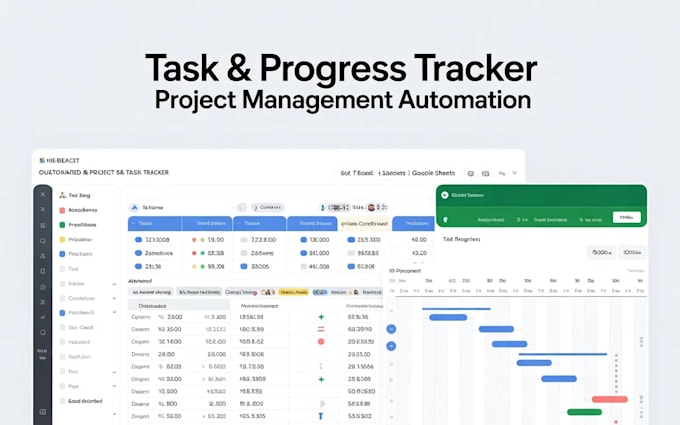
Are you struggling to keep track of tasks, deadlines, budgets, and project progress? I will create a custom automated Project Management & Task Tracker in Excel or Google Sheets that simplifies your workflow and keeps everything organized.
This tracker helps you plan tasks, monitor deadlines, track budgets, and visualize progress with automated dashboards and Gantt charts. Everything is fully editable and designed to save time, reduce errors, and give you a clear overview of your projects.
What I Offer:
Benefits:
Ready to take control of your projects? Message me or click Order Now to start automating your workflow today!
Technology:
Excel
•
Google Sheets
Can this tracker handle multiple projects at once?
Yes! The tracker is designed to manage multiple projects simultaneously, with separate tabs, dashboards, and Gantt charts for each project.
Will it automatically update deadlines and progress?
Absolutely. Task status, deadlines, and progress bars update automatically based on your inputs, so you always have a clear overview.
Can I track budgets, risks, and issues in the same tracker?
Yes. Premium features include automated budget tracking, risk monitoring, and issue tracking to keep your project on track.
Do I need advanced Excel or Google Sheets skills to use this?
No. The tracker is user-friendly and fully editable. Just enter your tasks and deadlines, and the formulas and dashboards handle the rest.
Can this be shared with my team or accessed online?
Yes. The Google Sheets version can be shared for collaborative team use, while Excel is perfect for individual or offline work.