Browse categories
Explore
Fiverr Pro
English
$
USD



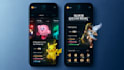
Give your game a polished first impressionbefore players press Start.
I design custom game UI/UX in Figma, combining clear navigation with visuals that match your games genre and art style. From menu design to in-game screens, I create cohesive interfaces with the player experience in mind.
What I Design:
What You Receive
Editable Figma source files with organized, clearly named layers.
High-resolution game assets for your Unity or Unreal Engine developer.
Custom designs with commercial usage rights included.
No generic templates. Every screen is designed to fit your game and work as part of a consistent visual experience.
Message me with your game concept, style references, and required screens to discuss your project.
Please inform the freelancer of any preferences or concerns regarding the use of AI tools in the completion and/or delivery of your order.
Expert UI UX Designer Turning Ideas into Stunning Interfaces
Languages
1. What types of game UI design do you create?
I design professional game UI UX for mobile and PC games, including HUDs, main menus, inventory systems, level selection screens, leaderboards, buttons, icons, and complete game UI redesigns. I work across genres such as RPG, arcade, hyper-casual, shooter, fantasy, and strategy games.
2. Can you design UI for both Unity and Unreal Engine games?
Yes. I create developer-friendly game UI assets that are ready for Unity, Unreal Engine, and other major game engines. Files are organized with clean layers for easy implementation by developers.
3. Do you create custom game UI or use templates?
Every game UI design is fully custom-made based on your game’s art style, genre, and target audience. I do not use generic templates. My goal is to create immersive UI UX that matches your game's identity.
4. What do you need from me before starting the project?
To create the best game UI UX design, I usually need: ● Your game concept or gameplay screenshots ● Preferred art style or references ● Screen dimensions/platform ● Logo or branding assets (if available) ● Information about the game mechanics and target audience
5. Will I receive editable source files?
Yes. You will receive high-resolution editable source files such as Fig file, AI, or PNG assets with organized layers for easy editing and development handoff.
6. Can you redesign or improve my existing game UI?
Absolutely. I can redesign outdated or unfinished game interfaces and turn them into polished, modern, player-focused UI designs that improve the overall player experience.
7. Do you design mobile game UI and PC game UI separately?
Yes. Mobile game UI UX requires different layout and usability considerations compared to PC games. I optimize every interface for the target platform to ensure the best player interaction and visual clarity.
8. Can you match my game's art style?
Yes. Whether your game has a fantasy, sci-fi, cartoon, cyberpunk, minimalist, or realistic style, I design game graphics and UI elements that fit seamlessly with your visual direction.
9. Do you also design game icons, buttons, and HUD elements?
Yes. I design complete game UI assets including custom buttons, HUDs, health bars, minimaps, icons, badges, and interactive interface elements for a cohesive player experience.
10. Why is professional game UI UX important?
A polished game UI helps players navigate your game easily, improves immersion, and creates a stronger first impression. Many players judge a game’s quality within seconds, and strong UI UX design can significantly improve retention and engagement.


