Browse categories
English
$
USD
Connect to your AI
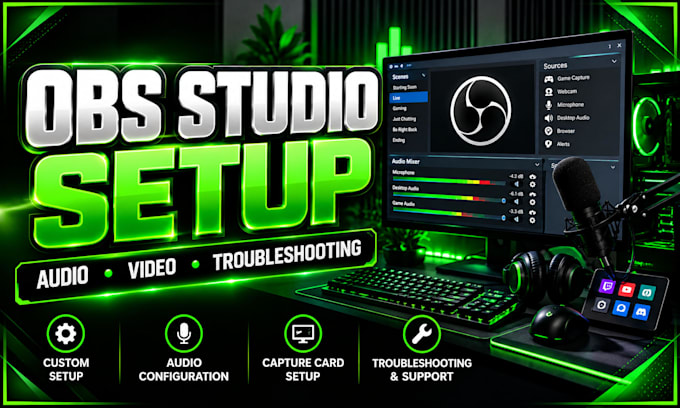
Professional OBS Setup and Streaming Optimization
Need help setting up OBS Studio or fixing streaming problems? I configure and troubleshoot OBS Studio to help you stream with reliable audio and clear video.
WHAT I CAN HELP WITH:
WHY CHOOSE COLTERSTREAMPRO?
I focus on practical technical solutions and a setup for your needs. Whether you're starting from scratch or fixing an existing setup, I'll work within the agreed package scope.
HOW IT WORKS:
1. Tell me about your computer, equipment, platform, and goal.
2. I'll review your requirements and confirm the right package.
3. I'll configure or troubleshoot the agreed items and test the result.
Message me before ordering if you have a complex issue, dual-PC setup, unusual audio routing, or an unsupported device. Complex problems may need extra diagnosis.
Ready to improve your stream? Send your requirements, and let's get your OBS workflow working properly! I test it carefully.
Software:
OBS Studio
Platform:
•
Twitch
•
YouTube
•
Kick
Purpose:
Gaming
•
Music
•
Lifestyle
•
Business
•
News
•
Streamshare
•
Webinar
1. Can you set up OBS Studio from scratch?
Yes! I can configure OBS Studio from scratch, including scenes, sources, microphone, desktop audio, webcam, and streaming settings. I'll tailor the setup to your equipment and platform, then test the agreed features to help you get ready to stream.
2. Can you fix OBS audio and microphone problems?
Yes. I can troubleshoot common OBS audio issues, including missing microphone sound, desktop audio, game audio, incorrect devices, and basic routing problems. Please describe your setup and symptoms so I can confirm the best approach before we begin.
3. Do you support Twitch, YouTube, and Kick?
Yes! I can configure OBS for compatible platforms such as Twitch, YouTube, and Kick. I'll help set suitable output, resolution, and bitrate settings based on your computer and connection. Please tell me your platform and streaming goals before ordering.
4. Can you configure my capture card and console?
Yes, I can help configure compatible capture cards and console video sources in OBS Studio. Please provide your console model, capture card, computer specifications, and current connections. I'll review compatibility and confirm the scope before starting your setup.
5. What do you need from me before starting?
Please share your operating system, PC specifications, streaming platform, OBS version, equipment, and the result you want. For troubleshooting, include the symptoms or screenshots of relevant settings. Never send passwords, stream keys, or other sensitive account details.
6. Can you optimize OBS for smoother streaming?
I can review OBS output, encoder, resolution, and frame-rate settings to help match your hardware and streaming goals. Results depend on your PC, drivers, and internet connection, so I cannot guarantee zero lag. Share your specifications for a suitable configuration.
