Browse categories
English
$
USD
Connect to your AI



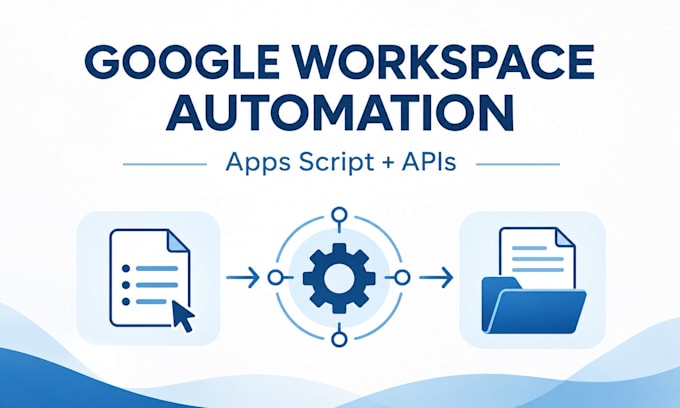
Still copying information between Google Workspace tools by hand? I build working automations that complete a useful tasknot just send a notification.
REAL EXAMPLE
A client submits a Google Form. An Apps Script trigger reads the answers and automatically creates a formatted Google Doc containing the client's details, requested service and next steps. No manual copy-and-paste.
WHAT I CAN BUILD
Automations involving Gmail, Forms, Docs, Drive, Sheets and Calendar, using Google Apps Script and supported APIs.
HOW I WORK
Basic is for one defined automation; Standard connects several steps; Premium supports more involved logic and compatible API connections.
Please contact me before ordering if your workflow involves external systems, unusual access permissions or sensitive data. Complex authentication, major migrations, ongoing maintenance and paid software are excluded unless separately agreed.
Workflow Automation and Digital Process Improvement
Languages
1. What kinds of tasks can you automate?
I automate repetitive Google Workspace tasks, including document generation, data processing, file organisation, record updates and API integrations. Share your current workflow and desired result so I can assess the best solution.
2. What is included in the Basic package?
One defined automation with one trigger and one main action, such as generating a Google Doc from a Form submission. Includes configuration, testing and handover. Multistep workflows require a higher package.
3. Can you integrate third-party applications and APIs?
Yes, if the application offers a compatible API and appropriate access. Premium includes limited API integration. Complex authentication, unsupported systems or extensive development require a custom quote.
4. How will you test the automation?
I test the workflow using representative sample data, verify the expected results and correct issues within the agreed scope. Advanced packages also include testing of relevant conditions and error scenarios.
5. Will I own the automation, and how will access work?
Your automation is configured in your own Google environment where practical, so you retain control. You authorise necessary permissions without sharing passwords. I provide handover instructions and remove temporary access after delivery.
6. Will the automation require additional subscriptions?
Often not. Many automations work with existing Google services and Apps Script, subject to account features and usage limits. External APIs may involve additional charges, which I'll identify before implementation.