Browse categories
Explore
Fiverr Pro
English
$
USD
Streaming Setup Expert
Your stream keeps stalling because you are scrambling between your mouse, keyboard shortcuts, and three different apps just to switch scenes or mute your mic. Viewers notice the dead air. Every fumble costs you a subscriber who clicks away to a smoother, better organized live stream.
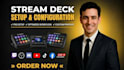
A properly configured Stream Deck fixes this. I build a custom OBS Studio or Streamlabs OBS profile mapped directly to your stream setup so every scene switch, overlay trigger, and audio mute happens in one tap, whether you run a single PC or dual PC streaming setup.
You get:
You receive your finished Stream Deck profile, custom icons matching your brand, and a short walkthrough so you can edit it yourself later. Delivery matches your exact streaming setup, not a generic template.
Message me your streaming software and platform before ordering so I can confirm everything fits your setup.

Software:
OBS studio
Platform:
•
Twitch
•
YouTube
•
Mixer
•
GosuGamers
•
DLive
•
Kick
Purpose:
Gaming
•
Music
•
Lifestyle
•
Business
•
News
•
Sports
•
Movies
Do you need remote access to my PC?
Yes. I use TeamViewer or AnyDesk to access your machine directly so I can build and test the Stream Deck profile against your real OBS or Streamlabs setup live, rather than configuring it blind and hoping it matches once you try it yourself.
Will this work with my existing scenes and overlays?
Yes. I configure the profile around whatever scenes, overlays, and sources you already have running. Nothing is replaced or rebuilt unless you specifically ask for that, this is about controlling what you already use, not starting over.
Does this work for dual PC streaming setups?
Yes. If your capture and gameplay run on separate machines, the profile is split so each PC only shows the buttons relevant to it, switching scenes on the broadcast PC without cluttering the gameplay PC with irrelevant controls.
Can you add GoXLR control too?
Yes. GoXLR routing, channel muting, and audio switching can be mapped into the same Stream Deck profile as your scene controls, so you are not juggling a separate app just to manage your audio mid stream.
What Stream Deck models does this work with?
Mini, the standard 15 key, the XL, and the MK.2 are all supported. The layout and number of mapped buttons simply adjusts based on how many keys your specific model has available.
What if I add new overlays or scenes later?
The walkthrough I provide covers exactly how to add or edit buttons yourself going forward. If you would rather not do it manually, you can message me anytime for a quick paid update instead.
Do you set up Streamlabs or OBS if I don't have one installed?
Yes. I can install and fully configure either OBS Studio or Streamlabs OBS from a blank setup, then build your Stream Deck profile on top of that fresh installation in the same order.
How long does delivery take?
Most setups are delivered within 1 to 3 days. More complex setups involving many scenes, multiple overlays, or hardware like GoXLR and dual PC routing may take slightly longer, confirmed before I start.
