Browse categories
Explore
Fiverr Pro
English
$
USD



Message me before you order.
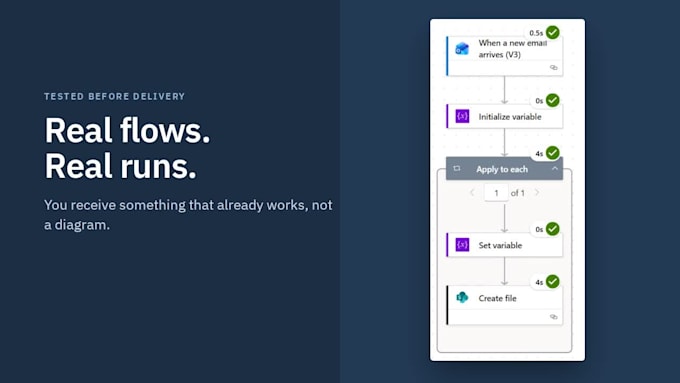
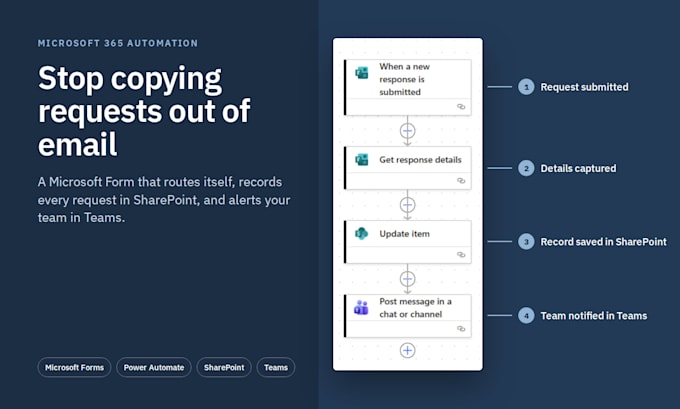
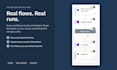
Still collecting requests by email and manually copying them into a spreadsheet? I'll turn that into an automated workflow using the Microsoft 365 tools you already pay for.
What I build:
How it works:
Good fit for intake, onboarding, equipment requests, time-off requests, and client inquiries.
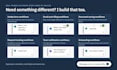
Need something different?
I build custom automations across Outlook, SharePoint, Lists, Excel, and Teams: approvals, email filing, reminders, daily summaries, and more. Message me with how the process works today, and I'll send a custom offer with a clear scope and price.
What you'll need: a Microsoft 365 business plan with Forms, SharePoint, and Power Automate.
Data Analyst, Knowledge Management, Workflow Automation
Languages
Can you build something that isn't in these packages?
Yes. Most of my work is custom. Message me or click Request a Quote with a description of your process, and I'll reply with a custom offer covering scope, price, and timeline.
1. What Microsoft 365 plan do I need?
Most business plans (Business Basic, Standard, or Premium) include Forms, SharePoint, and standard Power Automate. If you're unsure, send me your plan name and I'll confirm before you order.
2. Do I need to give you my password?
No. Please create a separate user account for me with access limited to this project. I'll let you know when I'm done so you can remove it.
3. Who owns the workflow after delivery?
You do. Everything is built inside your own Microsoft 365 account, so it keeps running after the order is complete, and your team can edit it.
4. Can you connect it to Excel, Outlook, or another app?
Often, yes. Outlook, Teams, and Excel work well. Other apps depend on whether your plan includes that connector, so message me first and I'll check.
5. My process is complicated. Can you still help?
Yes. Message me with how the work flows today, who's involved, and where it gets stuck. I'll recommend a package or send a custom offer if it's bigger than these.
6. Do I need to give you my password?
No. Your Microsoft 365 admin creates a separate account for me: in the Microsoft 365 admin center, go to Users → Active users → Add a user, assign a Business Basic (or higher) license, and keep the role as User. After you order, I'll send Microsoft's official step-by-step guide.