Browse categories
English
$
USD
Connect to your AI
Lag, blurry video, bad audio, dropped frames, or confusing OBS settings can make streaming far harder than it should be.
I help streamers, gamers, creators, and live sellers turn their OBS Studio setup into a stable workflow built around their PC, equipment, internet, and platform.
Your setup can include:
OBS Studio configuration and optimization
Resolution, FPS, bitrate, and encoder tuning
Game, microphone, desktop, Discord, and music audio
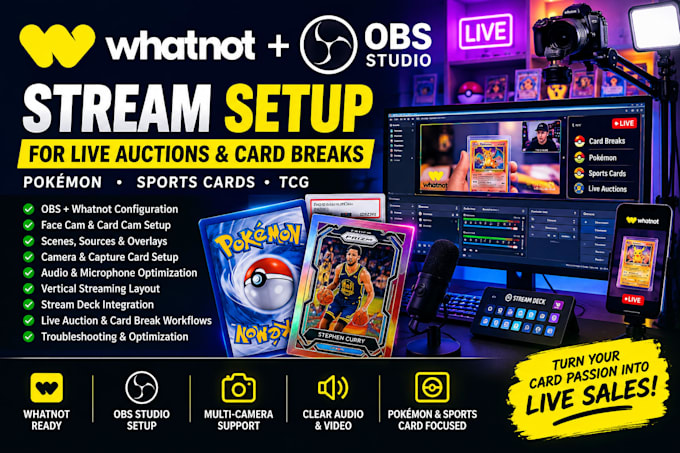
Cameras, webcams, and capture cards
Scenes, sources, alerts, and browser integrations
Recording and streaming settings
Lag, dropped-frame, and black-screen troubleshooting
Audio and video synchronization fixes
I avoid unnecessary changes. I focus on the settings that matter, so you can stream with better quality, clear audio, smoother performance, and controls that are easy to manage.
Whether you are starting fresh or your current setup needs fixing, I can help you get OBS working properly for Twitch, YouTube, Kick, TikTok LIVE, Whatnot, or recording.
Send me your current setup and the problem you want solved, and lets turn your OBS workflow into a setup you can rely on every time you go live with ease
Software:
OBS Studio
Platform:
•
Twitch
•
YouTube
•
Mixer
•
GosuGamers
Purpose:
Gaming
•
Music
•
Lifestyle
•
Business
1. Can you fix blurry video, dropped frames, or OBS performance issues?
Yes. I can troubleshoot blurry video, dropped frames, stuttering, encoder overload, and unstable performance by checking your OBS output, encoder, bitrate, FPS, resolution, and PC resources. I will identify the likely cause and optimize the setup around your hardware.
2. Can you fix missing, delayed, or duplicated audio in OBS?
Yes. I can fix missing, duplicated, delayed, or poorly balanced microphone, game, Discord, music, and desktop audio. I can also organize your sources and monitoring so your stream and recordings have cleaner, more controlled audio without unnecessary routing changes.
