Browse categories
Explore
Fiverr Pro
English
$
USD
InDesign Packaging Consultant, Publication Production, TypeForm PDF, ADOBE apps
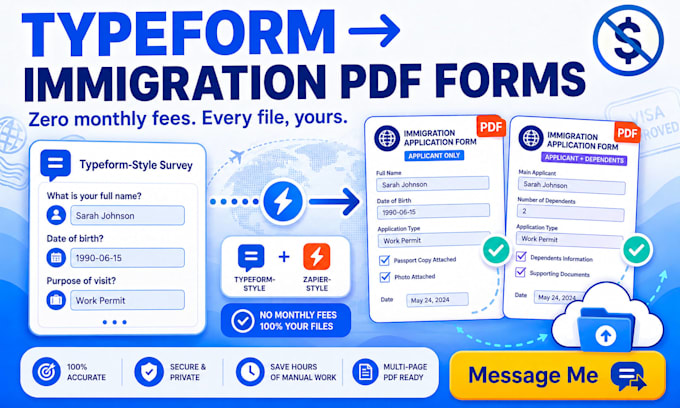
Stop manually retyping Typeform answers into official government PDF forms.
What you get:
Built with/for: Typeform, Zapier, AcroForm/PDF scripting (Python or JavaScript), OneDrive/SharePoint, Healthcare or Insurance or Legal, paralegal intake, HR onboarding, Tax preparation, Immigration, visa services, mcp AI
Live PD F automation in days :: Message Me!

Will this preserve the exact layout of our official PDF forms?
Yes. I work directly from your original government PDF layouts and only add fillable AcroForm fields on top, so pagination, wording and design stay unchanged. Nothing is redesigned or recreated from scratch, which matters for forms that must remain visually identical to the official version.
Do you rely on paid tools like PDF.co or Plumsail to build this?
No. The automation is built with open, no-subscription AcroForm scripting i.e., pdf-lib (Node/JS) or pypdf/acroform (Python) rather than a monthly SaaS layer like PDF.co or Plumsail. You avoid recurring platform fees, and there's no proprietary black box standing between you and your own workflow.
Who owns the scripts, mappings and automation after handover?
You do, fully. Every script, field mapping, configuration file and piece of documentation transfers to accounts and credentials you control, not mine. There's no dependency on my personal server, account or subscription, so the workflow keeps running exactly as-is after I'm gone.
How does the automation choose between the two forms?
The Zapier or N8N webhook reads the relevant Typeform answer, such as whether minor children are included, and routes the submission to Form 1 for a single adult applicant or Form 2 for an applicant with dependents. That form-selection logic runs automatically before any field mapping happens.
Can it handle accented characters, long names and long addresses?
Yes. Field mapping supports accented and non-English characters, plus long names, addresses and multiline answers, so international applicant data displays correctly instead of getting cut off, truncated or misencoded inside the AcroForm fields once the PDF is generated and saved.
What happens if a Typeform submission is missing information?
The workflow writes a clear warning or error log whenever required information is missing or a step fails, instead of silently producing an incomplete PDF. Your team reviews every completed document before finalizing, so nothing incorrect ever reaches a client unnoticed or unreviewed.
Can this component later connect to a different data source?
Yes. The PDF-generation logic is built as a reusable component, not hard-wired to Typeform alone. Once you move to a central database or client portal, that same structured data can populate both PDFs without remapping the fields from scratch, saving real rebuild cost later.
Could the same approach work for tax, HR or insurance forms?
Yes. AcroForm field-mapping automation is already used across W-9 and tax forms, HR onboarding packets and insurance intake documents, not just government applications. [DISCOVERED: GitHub, ai-pdf-autofiller, 2026] The same mapping-and-webhook pattern carries over to those form types directly.
Is this adaptable to visa or immigration application workflows?
es. Multi-page forms with dependent or child sections are common in visa and immigration processing, and automation kits for that niche are already appearing among consultants. [DISCOVERED: Gumroad, Visa Automation Toolkit, 2026] The same Typeform-to-PDF logic applies with new field mappings.
Do you use AI form-fillers instead of proper field mapping?
No. New AI-based PDF fillers are entering the market for casual use. [DISCOVERED: PDFFormFiller.co launch, Nov 2025] For official government forms I use deliberate, named field mapping instead, since predictable field placement matters more than automatic guessing on compliance-sensitive paperwork.