Browse categories
English
$
USD
Connect to your AI
OBS EXPERT
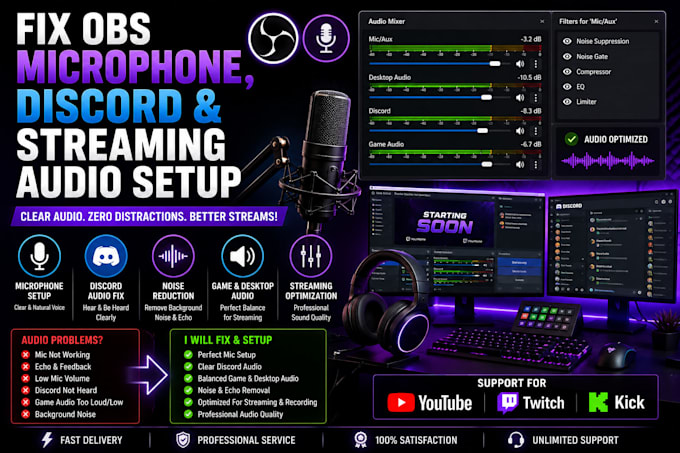
Are you experiencing microphone problems, Discord audio issues, echo, low volume, or poor sound quality while streaming? I can help you configure and optimize your OBS audio settings for a clear and professional streaming experience.
As an OBS audio setup specialist, I help gamers, streamers, YouTubers, and content creators fix audio problems and create a properly configured streaming audio setup.
What I Offer:
Why Choose My Service?
Whether you're a beginner or an experienced streamer, I can help you fix your OBS, Discord, and microphone audio issues.
Message me before ordering so we can discuss your audio setup and requirements!
Software:
OBS Studio
Platform:
•
Twitch
•
YouTube
•
Kick
Purpose:
Gaming
•
Music
•
Lifestyle
•
Business
•
News
•
Streamshare
•
Webinar
1. Can you fix microphone issues in OBS Studio?
Yes! I can troubleshoot microphone problems, configure input devices, adjust audio levels, and set up suitable audio filters.
2. Can you fix Discord audio problems while streaming?
Yes! I can help configure Discord voice settings and OBS audio sources so your viewers can hear your voice chat properly.
3. Can you remove microphone background noise and echo?
Yes! I can configure supported OBS audio filters, including noise suppression, noise gates, and other audio adjustments to improve sound quality.
4. Can you set up my game audio, microphone, and desktop audio separately?
Yes! I can configure and organize your audio sources and mixer channels so your microphone, game sound, and desktop audio are properly managed.
5. Do you support all microphones and headsets?
I support most commonly used USB microphones, headsets, and audio devices that are compatible with your computer and OBS Studio.
6. Can you balance my microphone and game audio levels?
Yes! I can adjust your audio levels to create a better balance between your voice, game sound, Discord chat, and other audio sources.
7. Do you need my computer login or Discord password?
No! I don't need your private passwords. I can guide you through the configuration process securely.