Browse categories
English
$
USD
Connect to your AI
OBS EXPERT
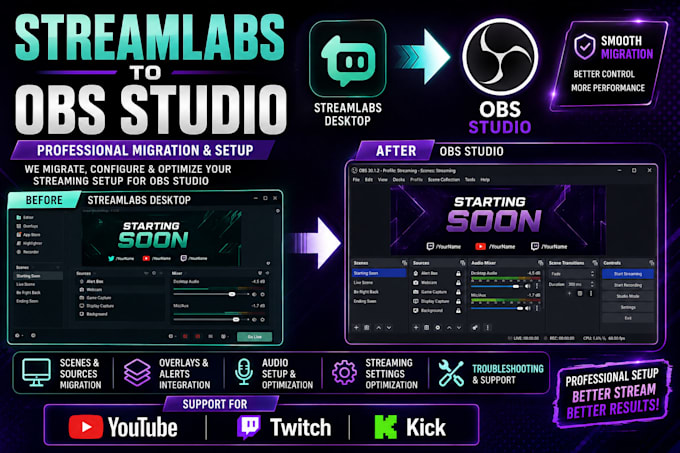
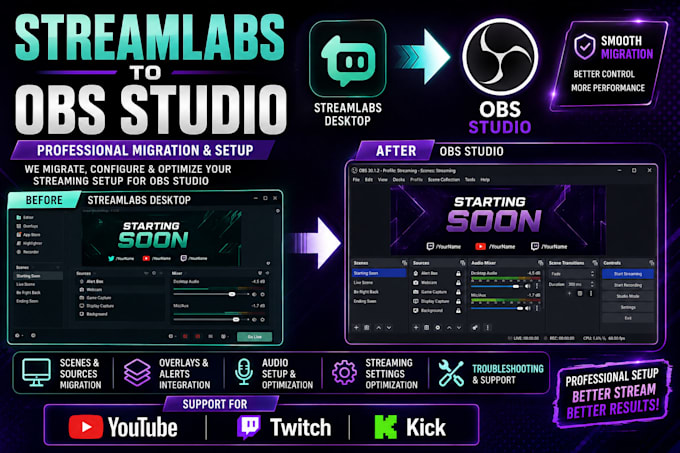
Are you looking to switch from Streamlabs Desktop to OBS Studio? I can help you migrate, configure, and optimize your streaming setup for a smooth and professional streaming experience.
As a streaming setup specialist, I help gamers, YouTubers, Twitch streamers, and Kick creators transition from Streamlabs to OBS Studio while maintaining their essential streaming elements.
What I Offer:
Why Choose My Service?
Whether you're a beginner switching to OBS Studio or an experienced streamer looking for a better setup, I can help make your transition easier.
Message me before ordering so we can discuss your requirements!
Software:
OBS Studio
Platform:
•
Twitch
•
YouTube
•
Kick
Purpose:
Gaming
•
Music
•
Lifestyle
•
Business
•
News
•
Streamshare
•
Webinar
1. Can you migrate my Streamlabs setup to OBS Studio?
Yes! I can help recreate your existing scenes, sources, overlays, and streaming settings in OBS Studio.
2. Will I lose my existing scenes and overlays during migration?
I will help preserve and recreate compatible elements of your existing setup. Some features may require manual configuration.
3. Can you transfer my Streamlabs alerts to OBS Studio?
Yes! I can help integrate compatible alerts, widgets, and browser sources into OBS Studio.
4. Can you configure my microphone, webcam, and audio settings?
Yes! I can configure your microphone, webcam, desktop audio, and supported audio filters for a better streaming experience.
5. Do you support YouTube, Twitch, and Kick streaming?
Yes! I can configure OBS Studio for YouTube, Twitch, and Kick according to your streaming requirements.
6. Can you optimize OBS Studio after migration?
Yes! I can optimize your streaming resolution, bitrate, encoder, and recording settings based on your computer specifications.
7. Do you need my Streamlabs or streaming account password?
No! I don't need your password. I'll guide you through any necessary account authorization and connection steps securely.