Browse categories
Explore
Fiverr Pro
English
$
USD



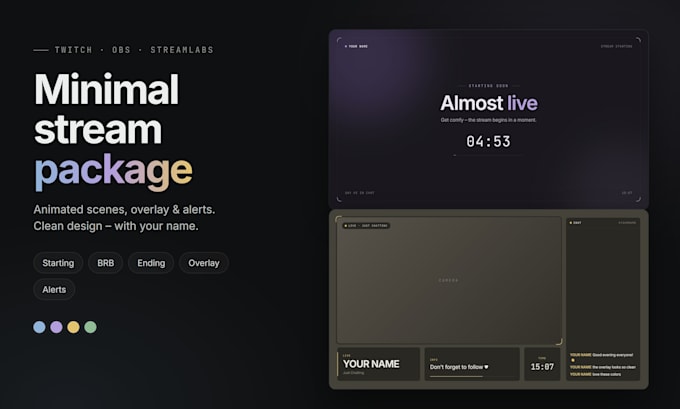
Want a clean, modern look for your stream? I'll create a complete minimalist stream package with your name, your socials and your favorite color ready for OBS and Streamlabs.
WHAT YOU GET
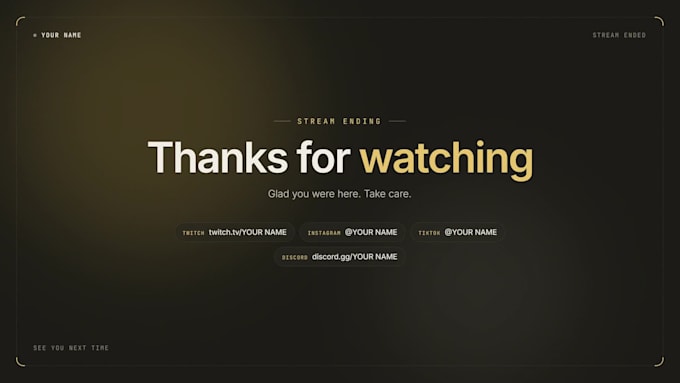
Starting Soon, Be Right Back & Stream Ending scenes animated, seamless loops
Just Chatting overlay with camera frame, chat box & info bar
Animated alerts: follow, sub, resub, gifted subs, bits, raid & tips
4 color themes (blue, purple, yellow, sage green) or any custom color
English or German texts
Easy step-by-step setup guide
TWO FORMATS IN ONE
MP4 loops + transparent PNG just drag & drop into OBS
Live browser sources a real countdown, clock and your live Twitch chat in the same style
WHY ORDER FROM ME
Minimal design that keeps the focus on you, not the clutter
Fast delivery and friendly, quick replies
Works with OBS Studio, Streamlabs Desktop & StreamElements
Have a special idea? Send me a message before ordering!
Note: I use AI-assisted tools in my design process. Every package is customized, rendered and tested by me.
Please inform the freelancer of any preferences or concerns regarding the use of AI tools in the completion and/or delivery of your order.
Stream Overlay and Alert Designer
Languages
Does it work with Streamlabs Desktop?
Yes. The MP4 loops and PNG work everywhere. The live browser sources work in OBS Studio and Streamlabs Desktop.
Do I need StreamElements for the alerts?
No. Sub, gifted sub, bits and raid alerts work without any extra service. For follower and tip alerts you need a free StreamElements account – I'll show you how to set it up in 2 minutes.
Is the chat in the overlay real?
Yes. In the live version it reads your Twitch chat in real time (read-only, no login needed) and shows it in the overlay style.
Can I change my name or texts later?
Yes. Everything is in one simple settings file. The setup guide explains it step by step.
Can I use it on YouTube or Kick?
The scenes and overlay work on any platform. The live chat and alerts are built for Twitch.
Which file formats do I get?
MP4 (1920×1080, 30 fps, seamless loops), PNG with transparency, plus HTML browser sources in Standard and Premium.