Browse categories
English
$
USD
Connect to your AI
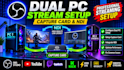
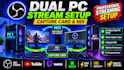
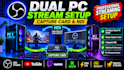
Are you struggling with your dual-PC streaming setup? Experiencing audio echoes, lag, black screens, or video connection issues?
Using two PCs for streaming should improve your performance, not create more technical problems. I'll help you connect both computers, configure your equipment, and optimize your streaming software for a smooth and reliable streaming experience.
Here's what I'll help you set up:
Important: Please contact me before ordering. Share your PC specifications, capture card, audio equipment, and current setup so I can recommend the right configuration.
Let's get your dual-PC streaming setup working smoothly!
Software:
OBS Studio
Platform:
•
Twitch
•
Kick
Purpose:
Gaming
•
Music
•
Lifestyle
•
Business
•
News
•
Streamshare
•
Webinar
Do I need a hardware capture card like Elgato for a dual-PC setup?
Not always. I can configure your dual-PC setup using a physical capture card like Elgato or AVerMedia, or NDI, which sends video over your local network. I'll recommend the best option based on your hardware and network connection
Can you fix audio echoes and loops between both PCs?
Yes! I'll configure your game audio, microphone, Discord, and music so they work correctly across both computers. I can use audio software or equipment like GoXLR and Rodecaster to prevent unwanted echoes, audio loops, and synchronization issues
Will my gaming monitor still support 144Hz or 240Hz?
Yes! I'll configure your display and capture settings to maintain your gaming monitor's high refresh rate while sending a suitable video signal to your streaming PC. This allows you to enjoy smooth gameplay while maintaining good stream quality
How will you access and configure both computers remotely?
I use remote access tools like TeamViewer or AnyDesk to configure both PCs. You'll be able to watch the setup process on your screen, and you can disconnect the remote session whenever you want.


