Browse categories
Explore
Fiverr Pro
English
$
USD

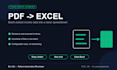


Tired of manually typing invoice data into Excel? I'll turn it into one button.
WHAT YOU GET
A polished Windows .exe no Python install needed:
1. Drop a folder of invoice files
2. Click "Extract"
3. Get a clean Excel workbook with all data
EXTRACTED FIELDS (default)
Invoice number, date, vendor, bill-from, bill-to, currency, total amount, tax, payment terms, plus every line item.
CAN HANDLE
- Electronic documents (Word/Excel exported): 100% accurate regex extraction
- Scanned files: OCR fallback via Tesseract, ~85% accurate, flagged for review
- Multiple vendors and layouts: configurable YAML rules, no hardcoding
- Hundreds of documents in one batch
- Messy layouts: multi-column tables, stamps, watermarks
TECH STACK
Python, PyMuPDF, pdfplumber, openpyxl, pandas, Vue 3, pywebview, Tesseract OCR, PyInstaller.
DELIVERABLES
- Single-file .exe
- 60-second demo video
- One-page user guide
- 30 days free bug-fix support
WHO I AM
M.Sc. Computer Science, 5+ years Python desktop dev. I ship tools with real UIs, not bare scripts your team can't use.
MESSAGE BEFORE ORDERING
Tell me: monthly volume, sample invoices, fields you need. I'll confirm scope within 12 hours.
Python Workflow and Desktop Automation Developer
Languages
Do I need to install Python?
No. You receive a single .exe that runs on any Windows 10 or 11 machine. Just double-click and start.
Can it handle scanned PDFs?
Yes. OCR fallback handles image-only PDFs at ~85% accuracy, and those fields are flagged for review. Electronic PDFs are 100% accurate.
What if my invoices have a unique layout?
Rules are YAML-configurable with no hardcoding. Send 3-5 samples before ordering and I'll confirm what can be extracted.
Do you offer ongoing support?
30 days free bug-fixes on Standard, 60 days on Premium. Extended maintenance plans are available after that.
Can you build a web or macOS version?
Windows desktop ships first. Web and macOS versions can be quoted separately based on your workflow.


