Browse categories
Explore
Fiverr Pro
English
$
USD
Your PS5 or Xbox works perfectly on your TV, but getting everything into OBS is where the frustration begins.
Maybe your capture card shows a black screen. Your gameplay appears but there's no sound. Your party chat can't be heard on stream, your microphone isn't routing correctly, or your stream quality simply doesn't look the way you expected.
That's where I come in.
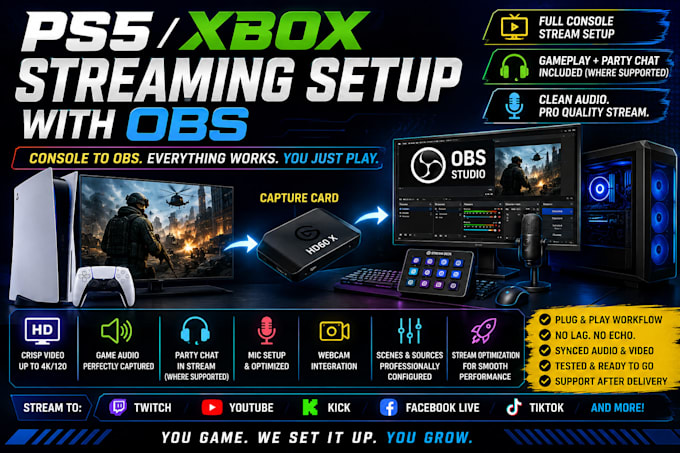
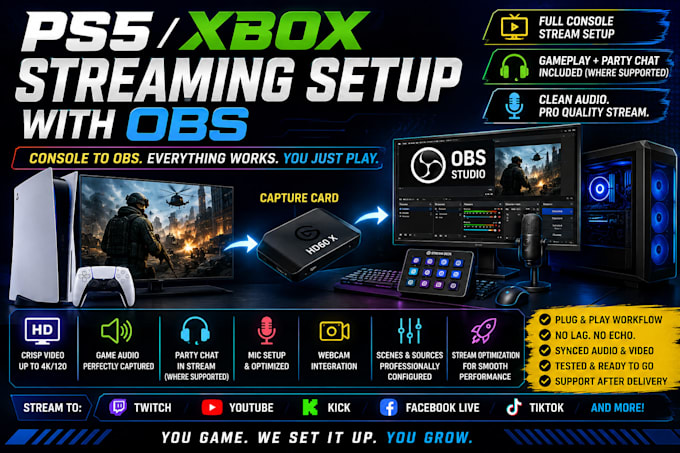
I'll configure your PS5 or Xbox streaming workflow with OBS Studio and your capture card, making sure your console video, gameplay audio, microphone, camera, and supported party chat routing work together correctly.
I can also optimize your resolution, FPS, bitrate, encoder, audio/video sync, scenes, and recording settings based on your equipment and streaming goals.
Whether you're streaming to Twitch, YouTube, Kick, or another platform, you'll have a clean, organized console streaming workflow built for reliable performance.
You focus on the game. I'll make sure your audience gets the stream.


Software:
OBS Studio
Platform:
•
Twitch
•
YouTube
•
Kick
Purpose:
Gaming
•
Music
•
Lifestyle
•
Business
•
News
•
Streamshare
•
Webinar
Why is my PS5 or Xbox showing a black screen in OBS?
I can troubleshoot capture card detection, HDCP, HDMI connections, Video Capture Device settings, resolution, refresh rate, and other configuration issues preventing your console gameplay from appearing correctly in OBS.
Why does my capture card have video in OBS but no game audio?
I can diagnose and configure your capture card, console audio output, OBS audio sources, monitoring, and routing so your viewers can hear the gameplay correctly.
How can I get PS5 or Xbox party chat audio into my OBS stream?
Party chat routing depends on your console, capture card, headset, and audio equipment. I can review your setup and configure a compatible method for capturing party chat where your hardware supports it.
Why can my stream hear the game but not my microphone?
I can configure your microphone, OBS input device, audio tracks, monitoring, filters, and routing so your voice is captured correctly alongside your gameplay.
Can you set up an Elgato HD60 X, 4K X, 4K60 Pro, or another capture card with PS5 or Xbox?
Yes. I can configure compatible Elgato, AVerMedia, and other capture cards for console streaming, including video, audio, passthrough, resolution, FPS, and OBS integration.
Why does my 120Hz gameplay stop working when I connect my capture card?
This can depend on the capture card, resolution, HDMI standard, display, VRR/HDR settings, and passthrough capabilities. I can configure the best supported workflow for your specific equipment.
How do I fix delayed game audio or audio and video being out of sync in OBS?
I can troubleshoot capture latency, sample rates, monitoring, sync offsets, and OBS settings to help synchronize your console video, gameplay audio, microphone, and camera.
Why does my PS5 or Xbox stream look blurry or laggy in OBS?
I can optimize your OBS encoder, bitrate, resolution, FPS, capture card settings, and streaming configuration based on your PC, internet connection, console, and target platform.