Browse categories
English
$
USD
Connect to your AI
GoHighLevel Systems That Keep Leads Moving
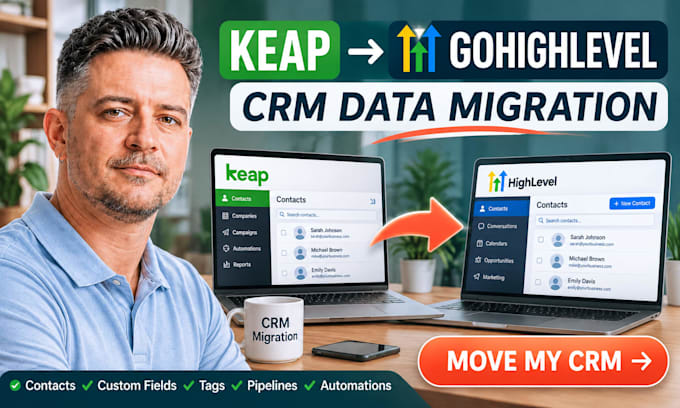
I can help you migrate your data from Keap (formerly Infusionsoft) into GoHighLevel.
Data that can be migrated
Process
Note: Not all features from Keap can be migrated. Some forms, campaigns and automations may need to be created again. Notes and Integrations will depend on if they can be exported and are compatible with GoHighLevel. This migration cannot be guaranteed to be 1-click or zero data loss.
Message ME BEFORE placing an order to confirm what data you have, what is required and how much work is needed.
To make your migration from Keap to GoHighLevel clean and simple.

Software:
GoHighLevel
Which Keap data can you migrate to GoHighLevel?
I can migrate agreed customer and CRM information, including contacts, company records, tags, custom fields, opportunities, pipelines and stages. Forms, email templates, campaigns, workflows and historical records can also be included depending on the package and technical compatibility.
Can you transfer all Keap automations directly to GoHighLevel?
Not every Keap automation can be transferred directly. Some workflows, triggers, conditions and actions need to be recreated using compatible GoHighLevel functionality. I will review your automations before confirming the scope.
Will my custom fields and tags be preserved?
Yes. I can map agreed custom fields and migrate tags into GoHighLevel. Field types, naming and destination compatibility will be reviewed before migration.
Do I need a GoHighLevel subscription?
Yes. You need an active GoHighLevel account and the appropriate location or sub-account for the migration.
How long will the migration take?
Delivery depends on the package, record volume, complexity and accessibility of your Keap data. The listed delivery times are 3, 7 and 14 days respectively. Larger or more complex migrations may require a custom timeline.
How do you verify migrated information?
I check the migrated records against the agreed scope, including record counts, field mapping, tags and relevant CRM relationships. Additional verification is included according to the selected package.
What happens if a Keap feature is incompatible with GoHighLevel?
I will identify the compatibility issue and explain the available alternative. Where supported, I can recreate the feature using GoHighLevel functionality. Any additional work will be agreed upon before proceeding.
Can you migrate historical notes and activities?
Yes, where the records can be accessed or exported from Keap and a suitable destination method is available in GoHighLevel. Some historical communication data and attachments may have limitations.
Are third-party integrations included?
Reconnecting or rebuilding third-party integrations is not automatically included. Integration requirements should be discussed before ordering so I can assess the additional work.
Should I cancel my Keap subscription after migration?
I recommend keeping your Keap account active until the agreed migration is complete and you have reviewed the migrated information in GoHighLevel. Make sure you retain an appropriate backup before discontinuing the original service.
