Browse categories
Explore
Fiverr Pro
English
$
USD
Discord , Streaming and App Dev
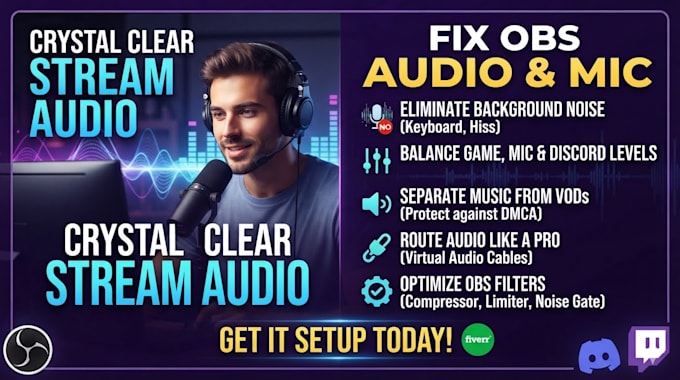
FRUSTRATED WITH RUINED STREAMS AND MUTED VODs?
Your viewers leave when they can't hear you clearly. Your chat gets annoyed by loud keyboard clicks, background noise, or game audio lagging behind your gameplay. Worst of all, you face harsh copyright strikes because your music is baked into your saved streams.
You should focus on your gameplay and communitynot fighting with confusing audio settings!
YOUR STREAM AUDIO SOLUTIONS:
READY TO BLOW YOUR AUDIENCE AWAY? Stop losing followers to amateur audio problems. Hit that 'Order Now' button right now, and let's turn your stream into a studio-grade masterpiece before your next broadcast!



Software:
OBS Studio
Purpose:
Gaming
•
Music
•
Lifestyle
•
Business
•
News
•
Streamshare
•
Webinar
Will fixing my OBS audio settings cause my game to lag or drop stream frames?
No. The audio routing solutions and mic filters used are completely native to Windows and OBS Studio. They use virtually zero CPU or RAM, meaning your stream performance and in-game FPS will stay exactly the same.
Can you separate Spotify music so it doesn't get my Twitch VODs muted or struck?
Yes! Your setup will be configured using the OBS Twitch VOD Track feature. Your live viewers will hear your Spotify music perfectly, but the music track will be completely invisible on your saved streams and clips to protect you from DMCA strikes.
Is it safe to let you connect to my computer via Team Viewer or Any Desk?
100% safe. You download the official secure software, provide a temporary access code, and watch my every mouse movement live on your screen. You retain full control and can terminate the connection instantly at any second.
Do I need to buy expensive mixers, GoXLR, or premium audio software for this to work?
No expensive hardware is required. Most stream audio routing and mic cleanup can be done entirely for free using OBS Studio's built-in application audio capture and native audio filters.
What happens if my Discord or mic audio breaks again after a Windows or OBS update?
The standard configuration is highly stable and built to survive updates. However, if anything shifts, every package includes a post-delivery support window to jump back in and recalibrate your settings instantly.