Browse categories
Explore
Fiverr Pro
English
$
USD
Data Analyst with Excel, Power Query, SQL and Power BI
Automated Excel Data Cleaning using Power Query
Tired of cleaning messy Excel data manually?
Tired of datasets which can't be used for data analysis?
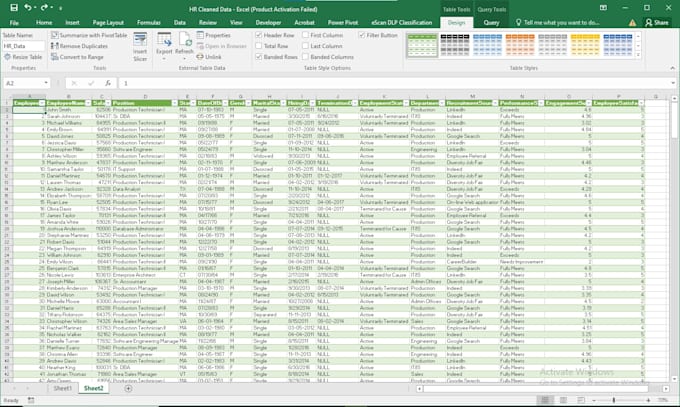
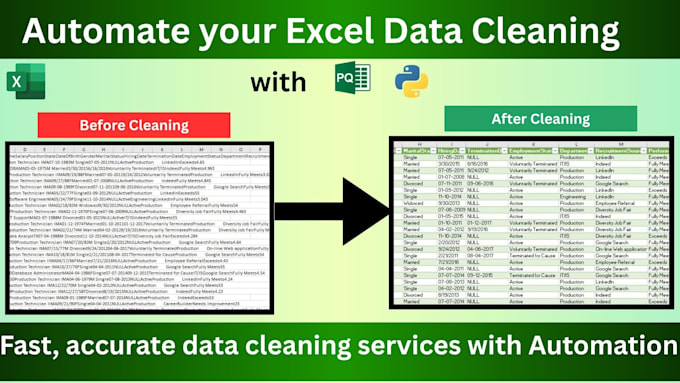
I will help you transform your raw Excel files into fully cleaned, organized, and professional data using 100% automated Power Query solutions. Save time, reduce manual effort, and get accurate results with a trusted process.
What You Will Get:
100% Automation No repetitive manual cleaning
Full Cleaned Data Remove duplicates, blanks, spaces, and formatting issues
One-Click Cleaning Refresh and update data instantly
100% Guaranteed Service Accurate and reliable output
Professional & Trusted Work Secure and quality-focused service
Why Choose This Service?
Saves hours of manual work
Reusable automated process for future data
Clean, analysis-ready Excel files
Perfect for reports, dashboards, and business use
Important Note:
For advanced or complex data-cleaning tasks, I can also use Python when it provides a better solution than Power Query.
Does this actually work?
Yes. The automated workflow works as designed. I'll also provide simple instructions (PDF or text file) explaining how to use it, so you don't need any prior knowledge of Power Query.
Will this be useful for my business?
Yes. If you regularly clean similar Excel data, this solution can save time by automating repetitive cleaning tasks. Once the workflow is built, you can simply update your raw data and click Refresh.
Can it handle millions of rows like SQL?
Power Query works with Excel and Power BI, so its practical limits depend on your data and your computer's resources. For very large datasets, SQL or Python may be more suitable. I'll recommend the best approach based on your project.
What if I don't know Power Query?
No problem. I'll provide a PDF or text guide explaining how to refresh and use your automated workflow. No prior Power Query knowledge is required.
Is my data secure?
Yes. Your files are used only for your project. Once the project is completed and accepted, your project files will be permanently deleted from my system.
Should I contact you before placing an order?
Yes, please contact me before placing an order. Send your file along with your requirements so I can review the project and recommend the package that best fits your needs.
Why do you use Python instead of Power Query?
Power Query is my primary tool because it creates reusable and refreshable Excel workflows. Python is used only when a project requires advanced data processing, custom automation, or transformations that are beyond Power Query's capabilities. I'll always choose the best tool for your project.
When are you available?
Feel free to contact me anytime before placing an order. I check Fiverr messages regularly and usually respond within a few hours. If I'm offline, I'll reply as soon as possible. Typical Working Hours (IST): 8:00 AM–10:00 AM and 6:00 PM–9:00 PM.
Can I use the workflow with new data in the future?
Yes. Once the workflow is set up, simply replace or update your raw data file, open the Excel workbook, and click Refresh. Power Query will automatically clean and update your data.