Browse categories
Explore
Fiverr Pro
English
$
USD
Data Automtion Done
Professional Home Assistant Setup, Dashboards & Automations
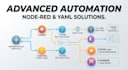
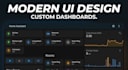
Stop struggling with broken integrations and messy interfaces. Whether you are running Home Assistant on a Raspberry Pi, Proxmox, or Docker, I provide professional-grade configurations to make your smart home stable, beautiful, and truly automated.
With my background in technical monitoring and advanced logic, I don't just "install" pluginsI build optimized ecosystems tailored to your specific hardware.
What I can do for you:
Why choose this Gig?

Device:
Other
Operating system:
Other
What hardware do I need before we start?
Home Assistant can run on many devices, but for a stable experience, I recommend a Raspberry Pi 4/5, a dedicated Mini PC (Intel NUC), or a Home Assistant Green/Yellow. You will also need a high-quality SD card or SSD and a stable internet connection
How will you access my Home Assistant setup remotely?
The most secure way is through Nabu Casa (Home Assistant Cloud). Alternatively, we can use a temporary Tailscale VPN or Cloudflare Tunnel. I will never ask for your permanent router passwords, and I recommend changing your HA password after our session for your security.
Can you help me if my devices are from different brands (Tuya, Sonoff, Xiaomi)?
Absolutely! That is the main benefit of Home Assistant. I specialize in integrating "walled garden" brands into a single dashboard using local protocols like Zigbee, Z-Wave, and MQTT, so they all work together seamlessly.
Do you provide support if an update breaks my dashboard later?
My Premium package includes 30 days of technical support. For Basic and Standard packages, I ensure the system is stable before delivery. Home Assistant updates can occasionally change things, so I always recommend making a full Google Drive Backup (which I can set up for you) before any update.
Can you set up a dashboard for my Solar Inverter or Energy monitor?
Yes! Using my background in technical monitoring, I can configure the Home Assistant Energy Dashboard. I work with various inverter protocols (Modbus, RS485, etc.) to show your real-time production, grid consumption, and battery levels in a clean, visual format.


