Browse categories
English
$
USD
Connect to your AI
Personal Virtual Assistant
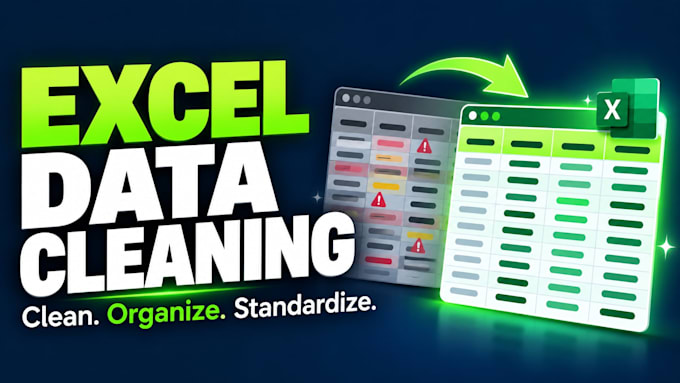
Need your Excel data cleaned quickly and organized properly?
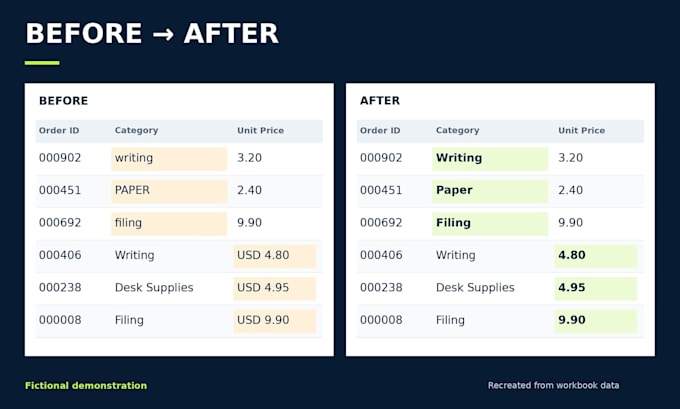
I will turn messy Excel or CSV files into clear, consistent spreadsheets, with checks before delivery.
My services include:
Why hire me?
You receive an XLSX file, plus CSV on request. Summary tables and charts describe the supplied data; they are not automated dashboards.
Please message me first for complex files, sensitive data, urgent work or custom requirements. Macros, advanced formulas, PDF extraction and web research are not included.
Send your file and instructions, and let's get your spreadsheet ready to use.

What happens if information is missing or unclear?
I flag missing values, ambiguous dates and conflicting entries. I can apply replacements you provide, but I do not invent information. Any unresolved issues are explained with the delivery.
How quickly can you deliver?
Basic delivery is one day, Standard is two days, and Premium is three days. For an urgent deadline, please message me before ordering so I can check the file and confirm availability.
Can you combine files or split columns?
Yes. Premium includes combining up to three matching tables. Standard and Premium also include splitting up to two consistently structured columns. Complex record matching or files with substantially different layouts require a review before ordering.
What summaries and charts are included?
Standard includes one grouped summary and one simple chart; Premium includes two of each. Examples include total units by category or record counts by region. These are reports on the supplied data, not automatically updating dashboards.
How do you remove duplicates without losing useful data?
I use the duplicate rule we agree on, such as identical rows or matching values in specified columns. Conflicting records are flagged for review rather than automatically deleted. Similar names are not assumed to be duplicates.
How are rows counted?
One item means one input data row, excluding the header. Rows are counted before cleaning. For multiple files, the package allowance applies to their combined total, not to each file separately.
What do you need to get started?
Please provide your Excel or CSV file, the changes you need, and any formatting preferences. If duplicates must be removed, tell me which columns identify a duplicate. For summaries or charts, explain what you want to compare or understand.
Which package should I choose?
Choose Basic for cleaning one table, Standard for cleaning with a summary and chart, or Premium for combining up to three matching tables with two summaries and charts. Send a sample or message me if you are unsure.
What does a revision cover?
Revisions cover adjustments to the original files within the agreed scope. New files, additional data or a different reporting request may require an extra or custom offer. Please identify the changes you would like clearly.
Can you work with confidential files?
Please contact me before sending sensitive or restricted information. We will confirm your handling requirements and any restrictions on external processing tools before work begins. Redacted samples are welcome.