Browse categories
Explore
Fiverr Pro
English
$
USD


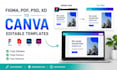
Professional Figma to Canva conversion?
I'll convert your Figma, PDF, PSD, or Adobe XD design into a clean, fully editable Canva template while preserving your layout, fonts, colors, and branding.
Whether you're a business owner, coach, agency, designer, or content creator, I'll deliver organized Canva files that are easy to edit, reuse, and customize.
What You'll Receive
Perfect For
Every template is recreated with attention to detail to ensure it looks professional and remains fully editable in Canva.
Order now for a high-quality Figma to Canva conversion delivered with accuracy and care.
Please inform the freelancer of any preferences or concerns regarding the use of AI tools in the completion and/or delivery of your order.
Canva eBook Designer, Editable Canva Templates, Workbook Expert
Languages
What do you need for my Figma to Canva project?
Please send your Figma, PDF, PSD, or Adobe XD file along with any fonts, brand assets, and special instructions.
Is my Figma to Canva template editable?
Yes. Every Figma to Canva project includes a fully editable Canva template with editable text, colors, and elements.
Can you convert PDF, PSD, and XD to Canva?
Yes. Along with Figma to Canva, I convert PDF, PSD, and Adobe XD files into editable Canva templates.
Will the design match my original file?
Yes. I carefully recreate your Figma to Canva design while maintaining the original layout, typography, colors, and spacing.
Can you use my brand fonts and colors?
Absolutely. Your Figma to Canva template will be customized using your brand fonts, colors, and logo whenever possible.
Is the Canva template ready for commercial use?
Yes. Your editable Canva template can be used for business, client work, presentations, digital products, and marketing materials.
What if my design is large or complex?
Please message me before ordering. I'll review your Figma to Canva project and recommend the best package.
What files will I receive?
You'll receive an editable Canva template link plus exported files included in your selected package.
Do you recreate every element manually?
Yes. When needed, I manually recreate elements to ensure your Canva template is accurate, organized, and editable.
Why should I choose your Figma to Canva service?
I focus on accurate conversions, editable Canva templates, clean organization, fast communication, and reliable delivery.
