Browse categories
English
$
USD
Connect to your AI
I set up OBS for Whatnot shows that need more than a phone camera. Whether you run live auctions, sports card breaks, TCG openings or product showcases, your layout should fit the way you present and sell.
WHY THIS SETUP MATTERS
OBS lets you combine camera angles, product views, scenes and graphics in one broadcast. I'll organise your setup around your show, keeping important details visible and making scene changes easier to manage.
IMPORTANT
Please have OBS installed and your camera/microphone ready. Before ordering, tell me your show type, equipment and whether you need a basic setup, branded scenes or a custom scoreboard. Share your logo, colours and any reference layout. Extra hardware and third party plugins are not included unless agreed in inbox. Deliverables depend on the package selected.


Software:
OBS Studio
Platform:
•
Twitch
•
YouTube
•
Kick
•
Other
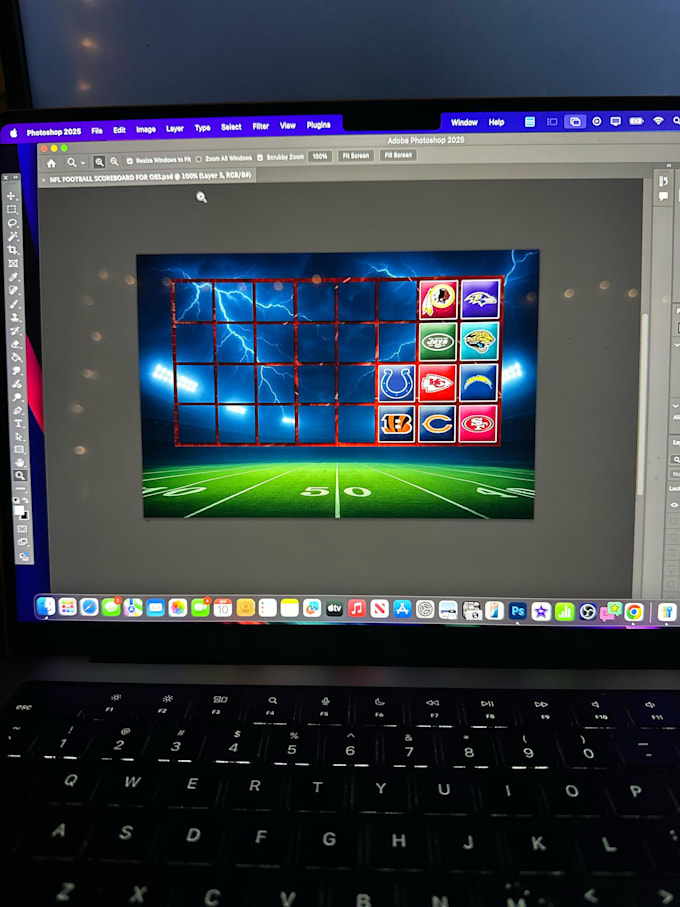
1. Can you create a scoreboard or overlay specifically for my Whatnot show?
Yes. I can create custom stream graphics and scoreboards around your show's format, including sports card breaks, team selections and product displays. You can share your logo, preferred colours or reference images so the de
1. Can you work with my existing OBS setup, or do I need to start from scratch?
You don't need to start over. If you already have OBS scenes, overlays or camera sources, I can work with your existing setup and make the necessary adjustments. Just share what you currently have and what you want to change.
2. Do I need to reconnect OBS to Whatnot every time I go live?
Yes, Whatnot uses a show specific connection rather than one permanent stream key. You'll need to connect through Whatnot's Show Tools for each scheduled show. I'll help configure the OBS side so you understand how the connection works.
3. Can I have different scenes for different parts of my live show?
Yes. You can have separate scenes for auctions, product displays, card breaks, starting screens and other parts of your show. The number and complexity of scenes will depend on the package you select.