Browse categories
English
$
USD
Connect to your AI
Google Sheets setups for quotes, invoices and payment tracking
Tired of chasing unpaid invoices? I'll set up a quote-to-paid invoice system in your own Google Sheets, with Gmail payment reminders you switch on and no monthly fee.
One-time setup, not bookkeeping, tax or monthly accounting.
Every package includes bug-fix support after delivery (7, 10 or 14 days), and you own the copy once order is paid.
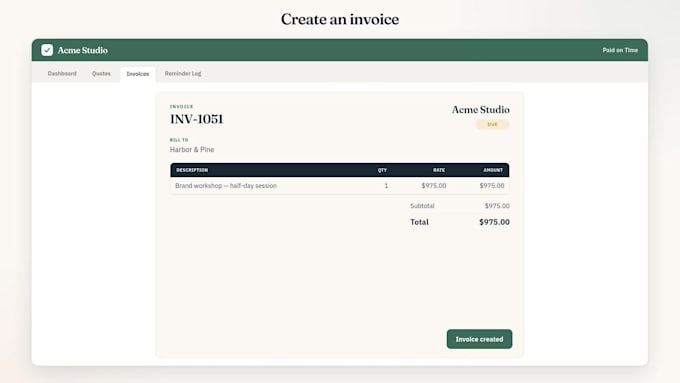
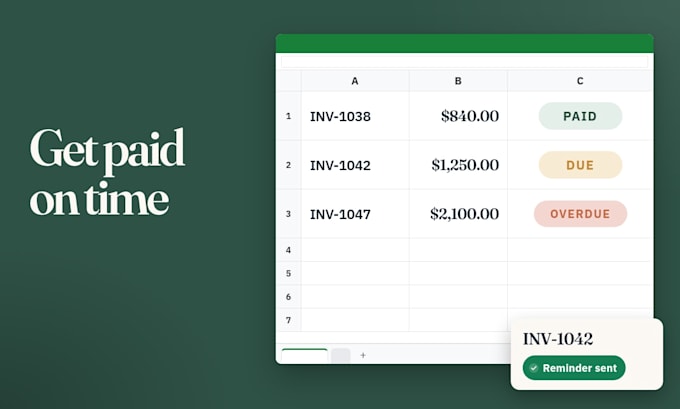
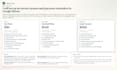
Get Paid (Basic): your quotes turn into numbered invoices with your logo and colors, sent as PDFs from your Gmail, with polite reminders that stop once a client pays.
Get Paid Plus (Standard) adds 1 customization and a walkthrough video.
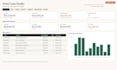
Cash Control (Premium) adds deposits and partial payments, a who-owes-you dashboard showing how late each payment is, and client statements.
How I work:
You get your own copy in your Google account. You own it, and I never have access to it.
Clients pay you directly through your own payment link. I never handle money.
Google shows a one-time "unverified app" notice at first use. That's expected; I walk you through it.
I use AI tools to help build and document templates; every setup is tested and customized by me.
NDA is available upon request.
Message me here before you order to confirm the scope.
Do I need to pay for any software?
No. The invoice system and payment reminders run in your own Google account on Google Sheets, Docs, Drive, and Gmail. There is no monthly fee to me. Google accounts have their own sending limits, which are lower on a free account than on Google Workspace.
Do you take payments for me?
No. It tracks payments and reminds clients. Clients pay you directly through your own bank details or payment link on the invoice.
Do you need my Google password?
No. You get a Google Sheets copy link, make your own copy and turn it on yourself. I am never an editor on your copy. Support is over a Fiverr screen share.
Will Google warn me about an unverified app?
Yes. That screen is expected. Click Advanced, then Go to the project, review the permissions and click Allow. It only means Google hasn't reviewed the project.
How many emails can it send?
Email stays off until you flip a Settings switch. Every send is logged. Invoice, quote, reminder, and Premium quote follow-ups share a daily cap (default 25, max 50). Inventory emails have a separate cap (default 25, max 50). At most one reminder per invoice per day. Gmail also has sending limits.
Does this replace my accountant?
No. It handles quotes, invoices and getting paid, not tax filing or bookkeeping advice.
Who owns it?
You do, once the order is complete and paid.
What counts as a customization?
Anything beyond your logo, two colors, business details, tax rate, terms, and the standard templates. Examples: up to 3 custom fields, extra branding, one extra template, a link to a free Google tool, an import of up to 100 records, or extra reminder logic. Extra customizations are $40 +2 days each.
What data can I send, and who owns the file?
Do not send SSNs, card numbers, bank logins, or health records. Use dummy values while I build, then replace them in your copy. You own the copy once the order is complete and paid. I may reuse my base templates for other clients. This does not replace an accountant, and it is not tax advice.