Browse categories
English
$
USD
Connect to your AI
CRM Automation Lead Follow Up and Business Workflows specialist
Stop manually copying spreadsheet leads into HubSpot.
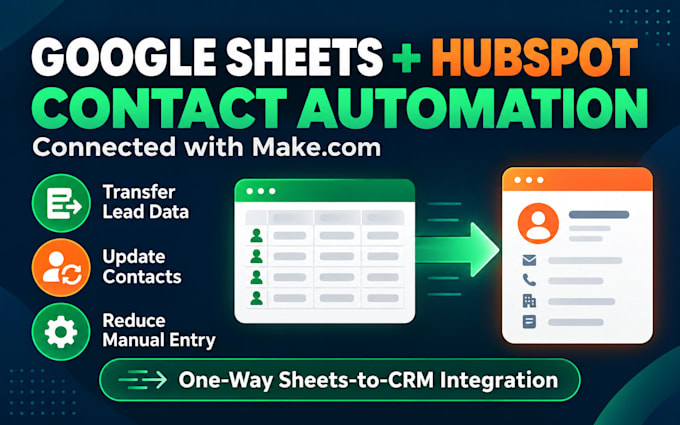
I will connect Google Sheets to HubSpot using Make.com to transfer contact information through an agreed automation.
Depending on your package, I can:
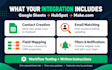
Create HubSpot contacts from new spreadsheet rows
Match contacts by email before creating or updating records
Map sheet columns to HubSpot contact properties
Add filters to process eligible rows
Notify your team after a contact is processed
Basic: New contacts with up to 5 mapped fields.
Standard: Create or update contacts with up to 10 mapped fields.
Premium: Contact updates, filters, and notifications with up to 15 mapped fields, plus a 30-minute training session.
Each package covers one spreadsheet tab, workflow planning, testing with sample data, and written setup instructions.
Please message me before ordering to confirm your sheet structure, subscription plans, and expected result.
You provide existing accounts and required subscriptions. Syncing is one-way from Sheets to HubSpot. Historical imports, duplicate cleanup, two-way syncing, custom APIs, ongoing management, and extra tabs are outside these packages.
Software:
HubSpot
Does the integration work in both directions?
No. These packages send contact data from Google Sheets to HubSpot. Two-way syncing requires separate scope.
Can you update existing HubSpot contacts?
Yes. Standard and Premium use email matching to find a contact before creating or updating agreed properties.
Will you remove existing duplicate contacts?
No. Email matching helps avoid creating duplicates during processing, but existing duplicate cleanup is not included.
Are account setup and subscriptions included?
No. You provide existing accounts and any required subscriptions. I configure the connections needed for the agreed workflow. Is training included?
Is training included?
Every package includes written instructions. Premium also includes one 30-minute training session covering the delivered workflow.