Browse categories
Explore
Fiverr Pro
English
$
USD
Google Ads Specialist
About this Gig
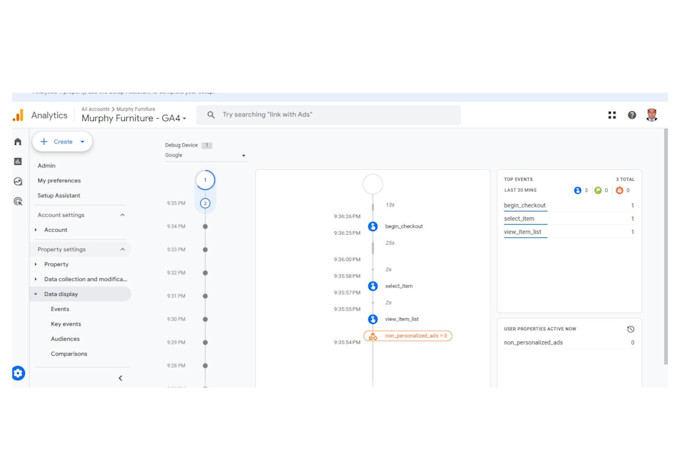
GA4 (Google Analytics 4) Server Side Tracking is a new technique that allows you to more accurately track and analyze your visitors' interactions without being affected by browser precedence (Safari) or privacy tools (Ad-blockers).
Why Need GA4 Server Side :
GA4 server-side tracking is a method of tracking user behavior on a website that involves sending data directly from the server to Google Analytics. Unlike client-side tracking, which relies on scripts running in the user's browser, server-side tracking occurs on the website's server.
The benefits of GA4 server-side tracking include:
Improved accuracy
Enhanced data privacy
Better tracking of user behavior
Increased website security:
What I Do : -
Let's discuss about GTM & GA4 plane Stra

What access I have to provide to work with you?
Hello, You have to provide the below- 1. Tag Manager Access ( if you have, if not I will create GTM and will give you admin access) 2. Google analytics 4 access ( if you have, if not I will create GA4 account and will give you admin access) 3. WordPress or Shopify access (For Enable Data layer)
What is GA4 Server-Side Tracking?
GA4 Server-Side Tracking allows you to route tracking data through your own server before sending it to Google Analytics. This improves data accuracy, enhances security, and reduces ad blockers’ impact on tracking.
Why should I use Server-Side Tracking in GA4?
It ensures more reliable tracking by bypassing ad blockers and third-party cookie restrictions, leading to better data accuracy and privacy compliance.
What is GA4 eCommerce Tracking?
GA4 eCommerce Tracking monitors user interactions on your online store, such as product views, adds-to-cart, purchases, and more, providing insights into shopping behavior and sales performance.
How do I implement eCommerce Tracking in GA4?
You can implement GA4 eCommerce tracking by adding specific event tags (like view_item, add_to_cart, purchase) using Google Tag Manager (GTM) or directly through your website's code.
What are the benefits of eCommerce Tracking in GA4?
It helps you understand customer behavior, optimize the sales funnel, track product performance, and measure ROI for marketing campaigns.
What’s the difference between Client-Side and Server-Side Tracking in GA4?
Client-Side Tracking occurs in the user's browser, while Server-Side Tracking sends data through your server. Server-Side Tracking is more accurate and secure, especially for eCommerce sites.
Do I need technical knowledge to set up Server-Side Tracking in GA4?
Yes, it requires setting up a server environment using tools like Google Cloud or AWS and configuring it with GTM. However, there are tutorials and guides available to help non-technical users.