Browse categories
Explore
Fiverr Pro
English
$
USD



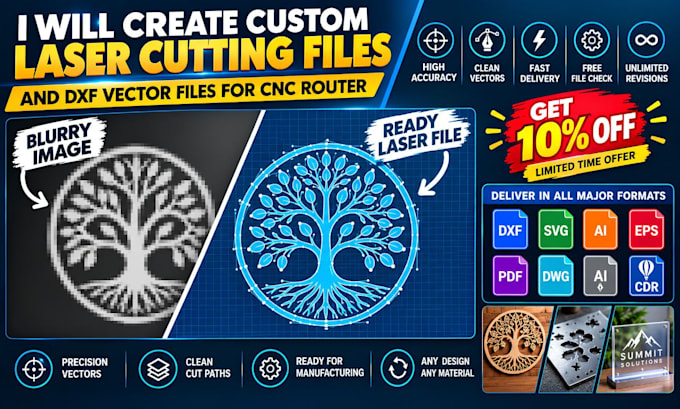
Tired of messy automated trace files that ruin materials and stall your laser cutter? I manually create clean vector files for laser cutting and engraving, turning your sketches, logos, or raster graphics into smooth, production-ready artwork.
Top-performing Etsy shops and custom fabrication businesses cannot afford jagged paths or open lines that create ugly material burn marks. I meticulously rebuild your designs by hand in Adobe Illustrator, ensuring completely closed vector loops and zero overlapping paths for a seamless machining process.
What you receive with this service:
Perfect for custom wooden signage, acrylic display brackets, stencils, metallic badges, and vinyl craft cutouts.
Please send a quick snapshot of your design and mention your specific software or machine (like LightBurn or AutoCAD) before placing an order. Let us get your vector files completely ready to cut!
Please inform the freelancer of any preferences or concerns regarding the use of AI tools in the completion and/or delivery of your order.
Your Trusted Laser Cutting and CNC DXF Specialist
Languages
What machine software configurations do your vector files support?
My files work smoothly with popular industry platforms like LightBurn, RDWorks, AutoCAD, CorelDraw, CNC controller apps, Mach3, and Cricut Design Space. This ensures a seamless transition straight from downloading to physical cutting.
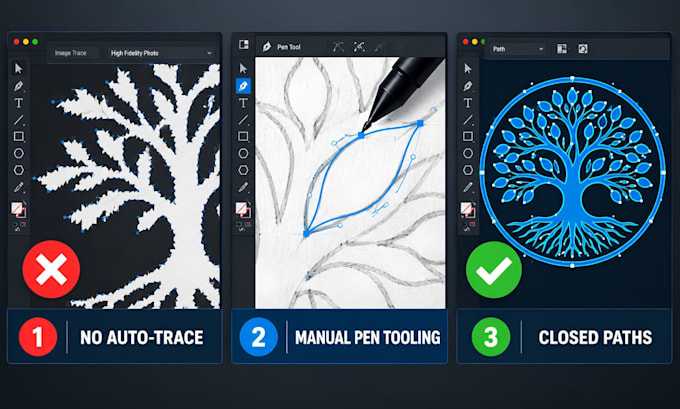
Why is manual tracing better than auto-tracing software?
Auto-tracing features create thousands of microscopic, jagged nodes and messy, overlapping line breaks. Manual pen tool plotting creates clean vector curves, smooth geometric lines, and closed paths that protect your cutting machine heads and materials.
Can you handle open paths for score lines and closed paths for cuts?
Yes, absolutely. I can separate your design paths by color-coding or placing them on distinct design layers. Please let me know your machine's layer instructions (e.g., black lines for scoring/engraving, red lines for external profile cutting).
Can I request structural modifications or custom dimension changes?
Yes. Please provide your exact measurements or scaling guidelines before we begin so I can build the final vector assets perfectly sized for your specific cutting workspace sheet.
Do your files work for heavy industrial plasma and wood routing?
Yes. I create clean, continuous vector paths specifically optimized to support intense wood routers and industrial CNC plasma cutters. By eliminating redundant overlapping lines, your cutter head will glide smoothly without burning or snagging your workpieces.
What do I do if my laser cutting file throws an error on my machine?
Do not worry. I offer comprehensive troubleshooting and minor post-delivery path adjustments. If your controller software flags an unclosed loop or an unmapped vector, simply send me a quick screenshot of the line error, and I will fix it immediately.