Browse categories
Explore
Fiverr Pro
English
$
USD
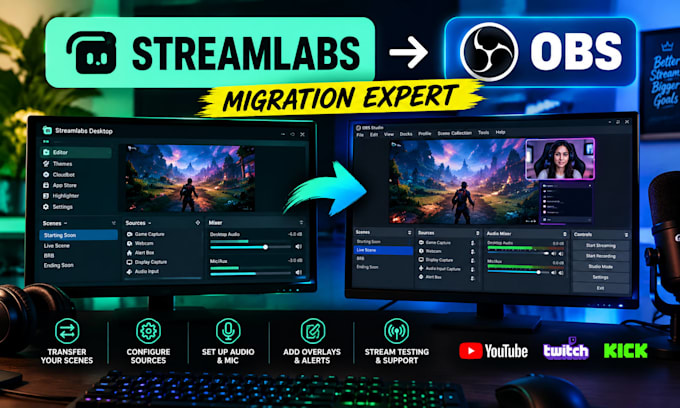
Are you looking to migrate from Streamlabs to OBS Studio without losing your scenes, sources, audio settings, or streaming workflow?
I will professionally migrate and configure your Streamlabs setup to OBS Studio, helping you create a clean, reliable, and properly organized streaming environment.
Whether you're a gamer, content creator, YouTuber, Twitch streamer, or live broadcaster, I can help you transition to OBS Studio with the right settings for your streaming needs.
What I can help with:
I focus on clear communication, organized setup, and practical solutions tailored to your streaming workflow.
Software:
OBS Studio
Platform:
•
Twitch
•
Smashcast
Purpose:
Streamshare
Can you migrate my Streamlabs scenes to OBS Studio?
Yes. I can help transfer and configure supported scenes, sources, and settings.
Will my overlays and webcam still work?
I can configure compatible overlays and webcam sources. Some Streamlabs-specific features may require alternative setup.
Can you test my stream after migration?
Yes. Stream testing can be included depending on your selected package.
Do you support audio configuration?
Yes. I can help configure microphones, desktop audio, and other supported audio sources.
Do I need to provide remote access?
Remote access may be useful for hands-on configuration, but we can discuss the safest suitable workflow.