Browse categories
English
$
USD
Connect to your AI
Professional OBS Setup For Seamless Live Streaming
Having audio problems affecting your stream quality?
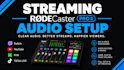
I help creators fix and optimize professional streaming audio setups using OBS, GoXLR, RØDECaster Pro II, and other audio devices.
Many streamers struggle with echo, missing game sound, microphone issues, Discord problems, incorrect routing, and confusing mixer settings. I will analyze your setup and create a clean audio workflow where every source works correctly.
My service includes:
Whether you are gaming, podcasting, streaming, or creating content, I will help you achieve clear and balanced audio without complicated setup problems.
I support Twitch, YouTube, Kick, TikTok LIVE, and other platforms. Send your equipment details and current audio issues, and I will help build a professional streaming audio system designed for your workflow.

Software:
OBS Studio
Platform:
•
Twitch
•
YouTube
•
Mixer
•
Smashcast
•
Kick
•
Other
Purpose:
Gaming
•
Music
•
Lifestyle
•
Business
•
Streamshare
•
Webinar
1. Can you fix OBS audio problems and missing sound?
Yes. I can troubleshoot OBS audio issues including missing game sound, microphone problems, incorrect sources, monitoring issues, and audio conflicts. I will check your setup and configure everything correctly so your stream receives clean and balanced audio.
2. Can you setup GoXLR or RØDECaster Pro II for streaming?
Yes. I can configure GoXLR, RØDECaster Pro II, and similar audio devices for streaming workflows. This includes microphone processing, channels, routing, monitoring, and connecting your mixer correctly with OBS and other applications.
3. Can you separate Discord, game audio, music, and alerts?
Yes. I specialize in creating organized audio routing systems where each source can be controlled separately. This helps prevent problems like Discord being too loud, music appearing in recordings, or alerts affecting your VOD.
4. Do you support dual PC audio setups?
Yes. I can help configure audio between gaming and streaming PCs, including capture card audio, microphone sharing, Discord communication, and separate audio channels for professional broadcasting.
5. Can you improve my microphone quality?
Yes. I can help optimize your microphone settings, filters, EQ, compression, noise reduction, and processing chain to create a cleaner and more professional voice for your viewers.
6. What equipment do you work with?
I work with GoXLR, RØDECaster Pro II, audio interfaces, USB microphones, XLR microphones, capture cards, OBS Studio, Streamlabs, and other streaming audio tools depending on your setup.
