Browse categories
Explore
Fiverr Pro
English
$
USD
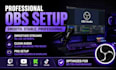
Professional OBS Setup For Seamless Live Streaming
OBS setup issues slowing down your stream? Get a professional streaming setup built for smooth performance, clean audio, and a better viewer experience.
Whether you are starting a new channel or fixing an existing setup, this service helps creators, gamers, podcasters, and live sellers achieve a reliable OBS Studio workflow for Twitch, YouTube, Kick, TikTok, and other streaming platforms.
No more confusing settings, audio problems, poor stream quality, or unstable broadcasts. Your live streaming setup will be optimized for better quality, smoother performance, and a more professional presentation.
What you get:
Perfect for streamers, content creators, gamers, podcasters, and online sellers who want a clean and reliable broadcast setup.
Upgrade your stream experience with a professional OBS setup designed for performance, quality, and growth.

Software:
OBS Studio
Platform:
Twitch
•
YouTube
•
Mixer
•
Kick
Purpose:
Gaming
•
Music
•
Lifestyle
•
Streamshare
•
Webinar
What do you need from me to start the OBS setup?
I’ll need details about your streaming goals, platform (Twitch, YouTube, Kick, TikTok, etc.), current equipment, and any issues you are facing. Access details and screenshots may also help create the best setup.
Can you set up OBS for my specific streaming needs?
Yes. The setup can be customized for gaming streams, podcasts, live selling, tutorials, and professional broadcasts with optimized scenes, audio, sources, and streaming settings.
I already have OBS but my stream quality is poor. Can you fix it?
Yes. I can troubleshoot and optimize OBS settings, audio, bitrate, scenes, and performance issues to improve stream stability, quality, and viewer experience.
Do you support Twitch, YouTube, Kick, and TikTok streaming?
Yes. The setup can be configured for major streaming platforms, including platform-specific settings for better performance and reliable livestreaming.
How long does the OBS setup take?
Most setups are completed within the selected delivery time. The timeline depends on the complexity of your setup, equipment, and required customization.
Can you help with audio, microphones, and streaming equipment?
Yes. I can help optimize microphones, mixers, audio routing, Voicemeeter, RODECaster, Streamlabs, and other streaming tools for cleaner professional audio.
Do you offer advanced streaming setups after the basic OBS setup?
Yes. Advanced options include custom scenes, overlays, alerts, capture cards, dual PC setups, stream optimization, and ongoing technical support for creators who need a complete streaming workflow.
