Browse categories
Explore
Fiverr Pro
English
$
USD
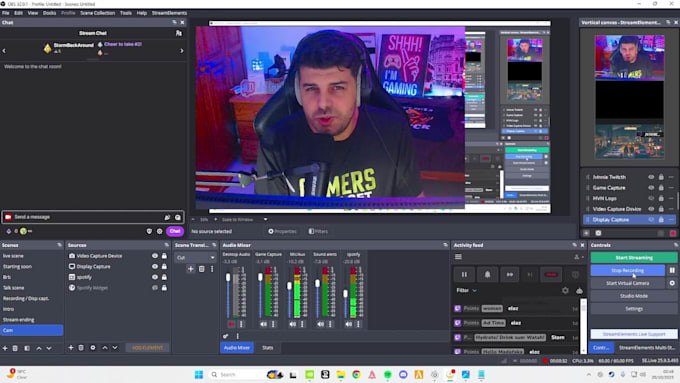
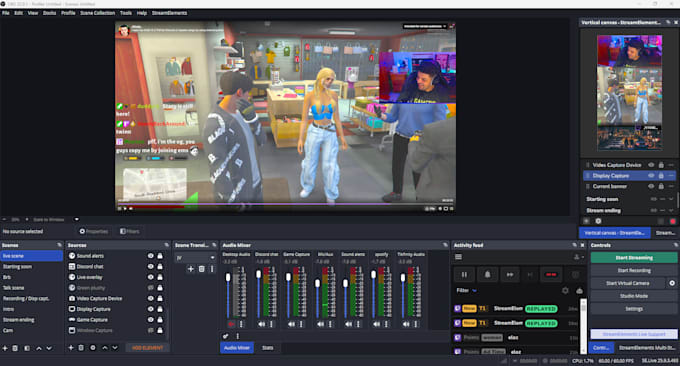
After installing OBS we will be Setting up the dock layouts, creating Scenes, sources, canvas, scene transitions, chat and stream controls.
Going through the settings and advanced settings to have a professional looking stream as I noticed there are a lot of pixelated live streams out there, and you're not going to be one of them.
Audio is king!!! we will be setting your audio and have your microphone sound professional without breaking your bank by buying expensive equipment.
We will be turning your streaming in to a fun place to be by having some cool widgets, fun alerts and overlays for free.
I have been streaming for the past 5 years so I can say I learned a thing or 2 about broadcasting and can't wait to share that with my students which I guarantee that they will be found very useful while live streaming.
This will be the final part of our session where we can go through your stream title, tags, stream category before you finally hit that go live button. :-)
Asking sellers to prepare homework/academic works on your behalf is against Fiverr’s Community Standard and may lead to your account being disabled.
Do I need a camera ?
A camera is always recommended but it's not necessarily needed, there are a lot of great streamers that don't use a face cam, but if you have one it's always better