Browse categories
Explore
Fiverr Pro
English
$
USD
Team of 14 members expert in PDF Remediation Accessibility Specialist WCAG, 508
Ensure Your PDF Documents are 100% Accessible and Compliant!
Are you looking to manually make your PDF documents accessible to everyone, including people with disabilities? I am here to help you achieve full compliance with international accessibility standards.
I specialize in PDF Remediation, ensuring your documents work perfectly with screen readers (like NVDA, JAWS, and VoiceOver) and meet all legal requirements.
What I Will Do for You:
Standards I Follow:
Why Choose Me?

Language:
Dutch
•
English
•
Spanish
Content Type:
Documents
Please inform the freelancer of any preferences or concerns regarding the use of AI tools in the completion and/or delivery of your order.
1. What exactly is PDF Accessibility Remediation?
PDF Remediation is the process of "tagging" a digital document so that people with visual impairments can access the content using assistive technologies like screen readers (e.g., NVDA, JAWS). It ensures that the reading order, images (Alt-text), tables, and forms are logically structured.
2. Which accessibility standards do you follow?
I strictly adhere to international accessibility standards, including WCAG 2.1/2.2 (Levels A, AA, AAA), Section 508 (US Federal law), ADA (Americans with Disabilities Act), and PDF/UA (Universal Accessibility).
3. How do you verify that the document is 100% compliant?
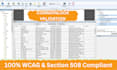
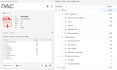
I use a dual-verification process. First, I use automated tools like the Adobe Acrobat Accessibility Checker and PAC (PDF Accessibility Checker). Second, I perform a manual check of the tag tree and reading order to ensure the document is truly functional for a screen reader user.
4. Can you handle complex tables and charts?
Yes, absolutely! Complex tables (with nested headers, multiple rows/columns, or merged cells) are my specialty. I ensure every data cell is correctly associated with its header using proper scoping and IDs so that it makes sense when read aloud.
5. Do you provide a compliance report after completion?
Yes! Upon delivery, I will provide a Full Accessibility Validation Report (typically a PAC 2024 or CommonLook) showing that the document has passed all accessibility checks. This serves as your proof of compliance.
6. What do you need from me to get started?
I just need your source PDF file(s). If you have specific Alt-text for complex technical images or branding guidelines for color contrast, please share those as well. For scanned documents, please message me first as they require OCR processing.
7. Do you offer discounts for bulk orders or high page counts?
Yes, I offer volume-based discounts for large documents (e.g., eBooks, Annual Reports, or Manuals) and long-term projects. Please reach out with your file, and I will provide a customized quote tailored to your budget.
8. Do you use CommonLook for PDF Validation?
Yes, I utilize CommonLook PDF for advanced accessibility checking and repair. CommonLook is the industry gold standard for ensuring a document is 100% compliant with PDF/UA and WCAG standards. It allows me to handle complex structures that standard tools might miss, providing you with good result.


