Browse categories
Explore
Fiverr Pro
English
$
USD


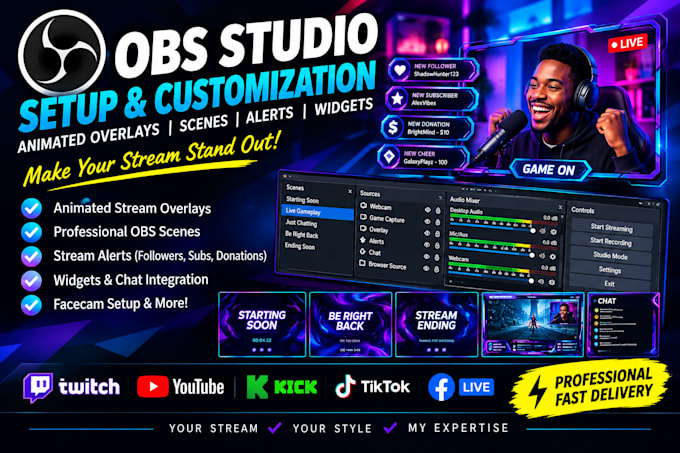
Is your stream looking plain, outdated, or missing professional animated overlays, scenes, alerts, and widgets?
I will professionally setup your animated OBS overlays, stream scenes, alerts, widgets, and sources to create an engaging and professional live streaming experience. Whether you stream on Twitch, YouTube, Kick, TikTok, or Facebook Live, I will help bring your stream to life.
WHAT I OFFER:
WHY CHOOSE ME?
Whether you need an OBS overlay setup, animated stream overlay, OBS scenes, stream alerts, widgets, or complete streaming setup, I am here to help you create a professional stream that stands out.
Message me now! Let's bring your dream stream setup to life!
Please inform the freelancer of any preferences or concerns regarding the use of AI tools in the completion and/or delivery of your order.
Livestream Graphics and OBS Specialist
Languages
1. What do you need from me to get started?
I need your streaming platform, OBS Studio version, preferred style, logo or brand assets (if available), and a description of the overlays, scenes, alerts, and widgets you want.
2. Can you set up animated overlays in OBS Studio?
Yes! I can set up animated overlays, transitions, and visual elements to give your stream a professional and engaging appearance.
3. Which streaming platforms do you support?
I support OBS Studio setups for Twitch, YouTube, Kick, Facebook Live, and other platforms compatible with OBS.
4. Can you set up stream alerts and widgets?
Yes! I can help configure compatible alerts and widgets, including follow, subscriber, donation, chat, and other supported stream notifications.
5. Can you create multiple OBS scenes?
Yes! I can set up scenes such as Starting Soon, Just Chatting, Gameplay, BRB, and Ending Soon, depending on your package.
6. Do I need to provide my own overlays?
You can provide your existing overlays, or choose a package that includes custom overlay design. Please check the package details before ordering.
7. Can you add my logo, webcam frame, and social media links?
Yes! I can integrate your logo, webcam frame, social media handles, and other branding elements according to your selected package.
8. Will the overlays and alerts work with my existing OBS setup?
In most cases, yes. I will configure the included elements for your setup and check their functionality where possible. Some third-party widgets may require separate accounts or services.